Folio 0.4.3: a calmer interface, redesigned after your feedback
· Sergii Kravtsov · Folio
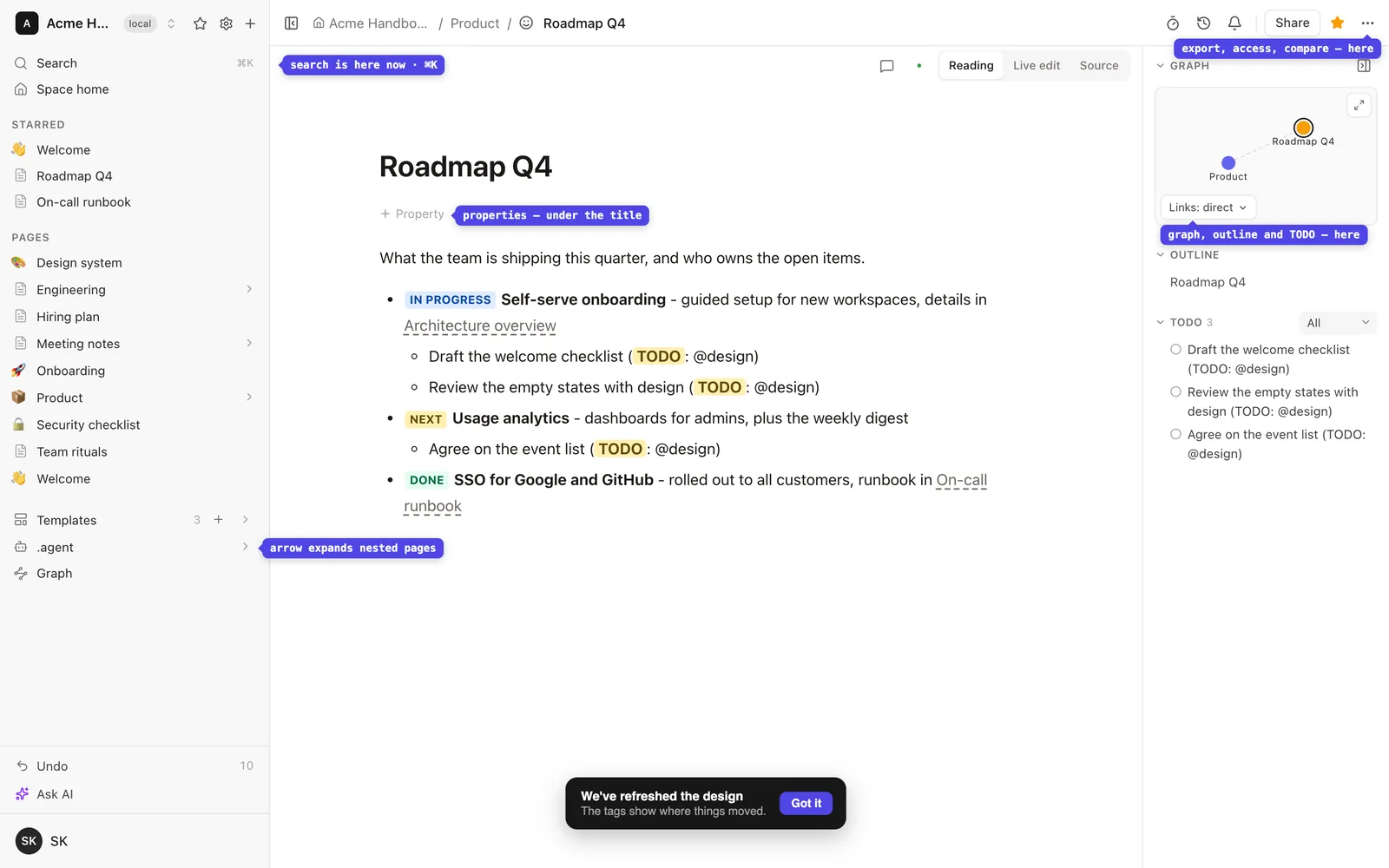
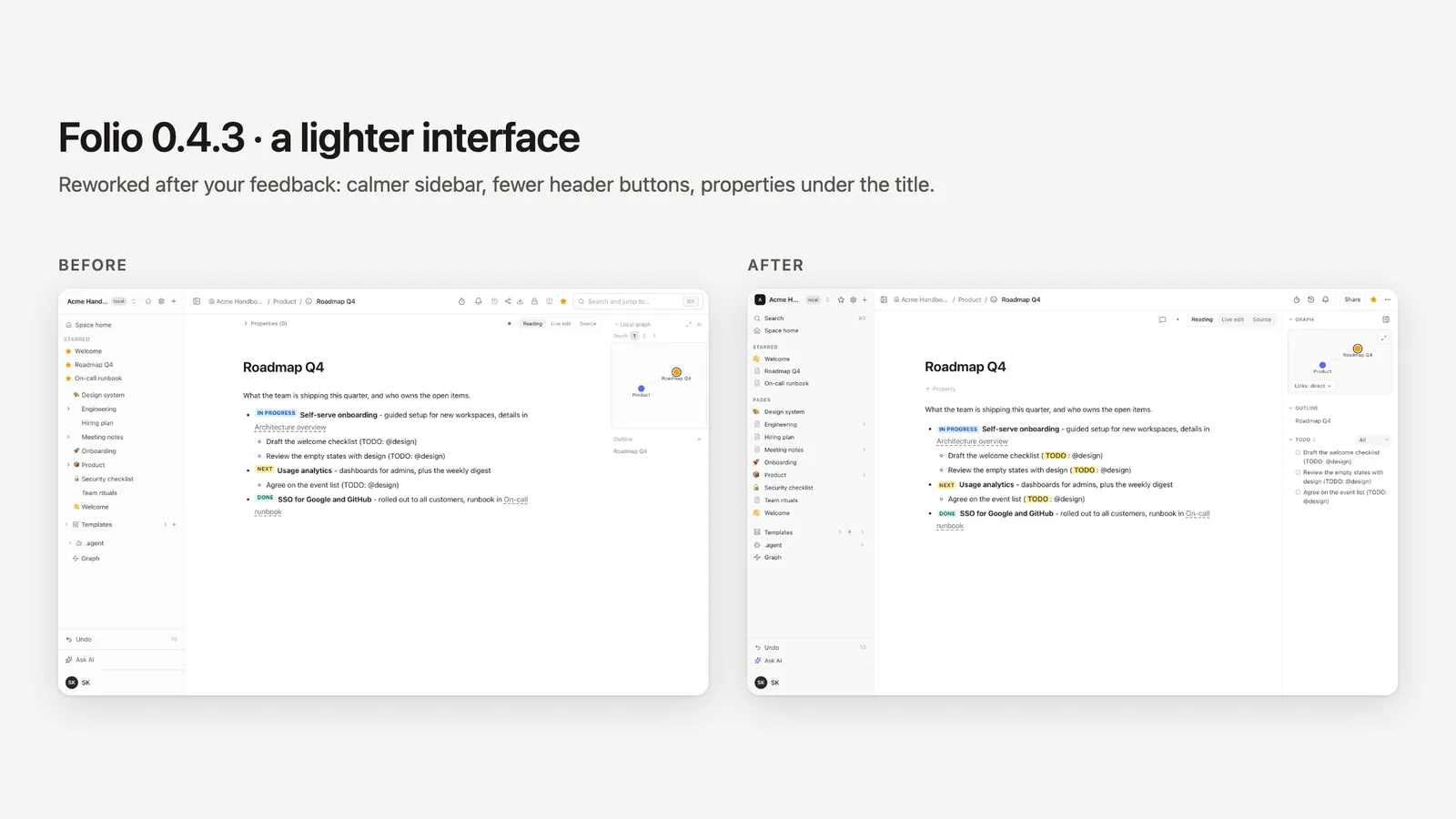
You told us the sidebar looked uneven, the header was crowded and some things were hard to find. Folio 0.4.3 reworks the app chrome to answer that. Nothing was removed: things moved, and a one-time set of small tags shows where.
What changed
- Sidebar. Every page has an icon, all in one column, and the expand arrow is always visible on the right. Search, with its ⌘K shortcut, is the first row, and the tree sits under a Pages label.
- Header. The timer, history and notifications stay in view, and Share is a labelled button. Export, page access, compare and writing rules are in the "⋯" menu.
- Properties. They sit under the page title, behind a "+ Property" button.
- Right panel. One bordered column. Local graph, Outline, Notes and To-do collapse by their headers. Graph depth is a "Links" menu: direct, plus neighbours, or plus one more step.
- To-do panel. It collects every to-do line of the page, can be filtered by assignee, and a click jumps to the line and highlights it.
Where did it go?
- Search: first row of the sidebar.
- Export, Page access, Compare, Writing rules: the "⋯" menu in the header.
- Properties: under the page title.
Try it and tell us
The release notes list the changes. The public demo already runs 0.4.3. If something is still hard to find, say so in the announcement thread on GitHub Discussions. To run Folio yourself, start with the install guide; the code is on GitHub under the MIT license.
See it in a running Folio
Open the live demo and click through a real Folio instance, or install it and move one space over. Folio is open source and stores everything in Git.
Related
More from the blog
- LLM wiki for a team: Markdown in Git, readable by agents over MCP
- Obsidian Bases outside Obsidian: open and edit .base files in a browser
- Obsidian MCP: ways to give an AI agent your vault
- Notion vs Obsidian for a team: what each one gives you, and when neither fits
- Mermaid vs PlantUML: which to use for docs in Git
- Groups and single sign-on in an open-source wiki: free, in one MIT edition
- Side-by-side comparison of wiki pages and versions: see what changed
- Publish a Cursor canvas to your team wiki: dashboards that outlive the chat
- Publish a Claude artifact to your team wiki: interactive pages that live in Git
- Make any page a template: custom templates for your Folio space
- Confluence MCP, Notion MCP and a wiki that is its own MCP server
- Export Confluence to Markdown and keep it in Git
- Mermaid diagrams in a team wiki: keep them as code
- See how your team's knowledge connects: graph, Canvas and Bases in Folio 0.4
- Open an Obsidian vault as a team wiki, without changing a file
- Publish a wiki space as a public website, and let visitors ask it questions
- Docs-as-code without the IDE: edit your repository's docs in a browser
- New hires ask the wiki, and the wiki learns what it lacks
- Folio boards: built on Excalidraw, made for teams