See how your team's knowledge connects: graph, Canvas and Bases in Folio 0.4
· Sergii Kravtsov · Folio
Folio 0.4 shows how a team's pages connect. A graph draws a space as a map of pages and links, and a local graph in the side panel shows what sits around one page. The same release opens Obsidian Canvas and Bases files, adds a shared timer to every page, previews Folio links in Slack and Teams, and lets agents build forms, tables and bases.
This post is a tour, with the limits stated as we go. The full list of changes is in the release notes. If you keep an Obsidian vault in Git, the Folio vs. Obsidian page and the guide to making a vault multiplayer cover the rest.
A graph that knows who may see what
A "Graph" row under Tags in the sidebar opens the space as a map. Pages are nodes, links are edges, and tags, attachments, unresolved links and orphan pages can be switched on as nodes too. Hover highlights a page and its neighbours, a click opens it, and labels fade in as you zoom. Filters use the same search grammar as the rest of Folio, and colour groups work by top folder, page kind, tag or a query of your own.
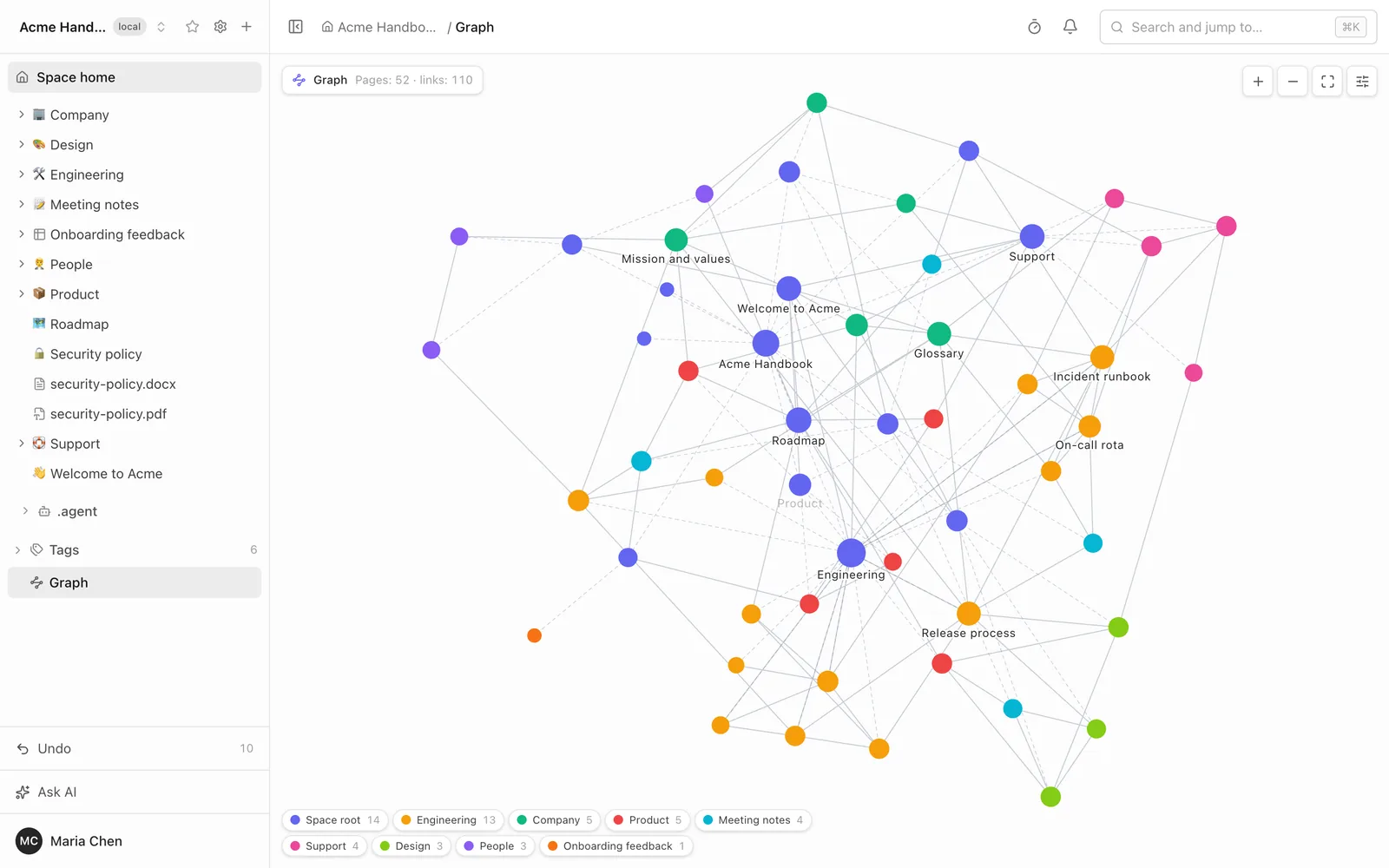
Three things are specific to a team wiki.
- Access is part of the query. The server builds the graph from the page index with the reader's rights applied inside the query. A page you cannot open is never a node, a ghost or an edge, so the graph can look sparser to you than to an administrator, and it never hints that a hidden page exists.
- Spaces connect. A page of another space that you may open appears labelled "space / title" in its own colour and opens in its own space.
- The page tree is visible. A "Tree structure" toggle, on by default, adds dashed parent-to-child lines, so a nested space is a structure and not a cloud of dots.
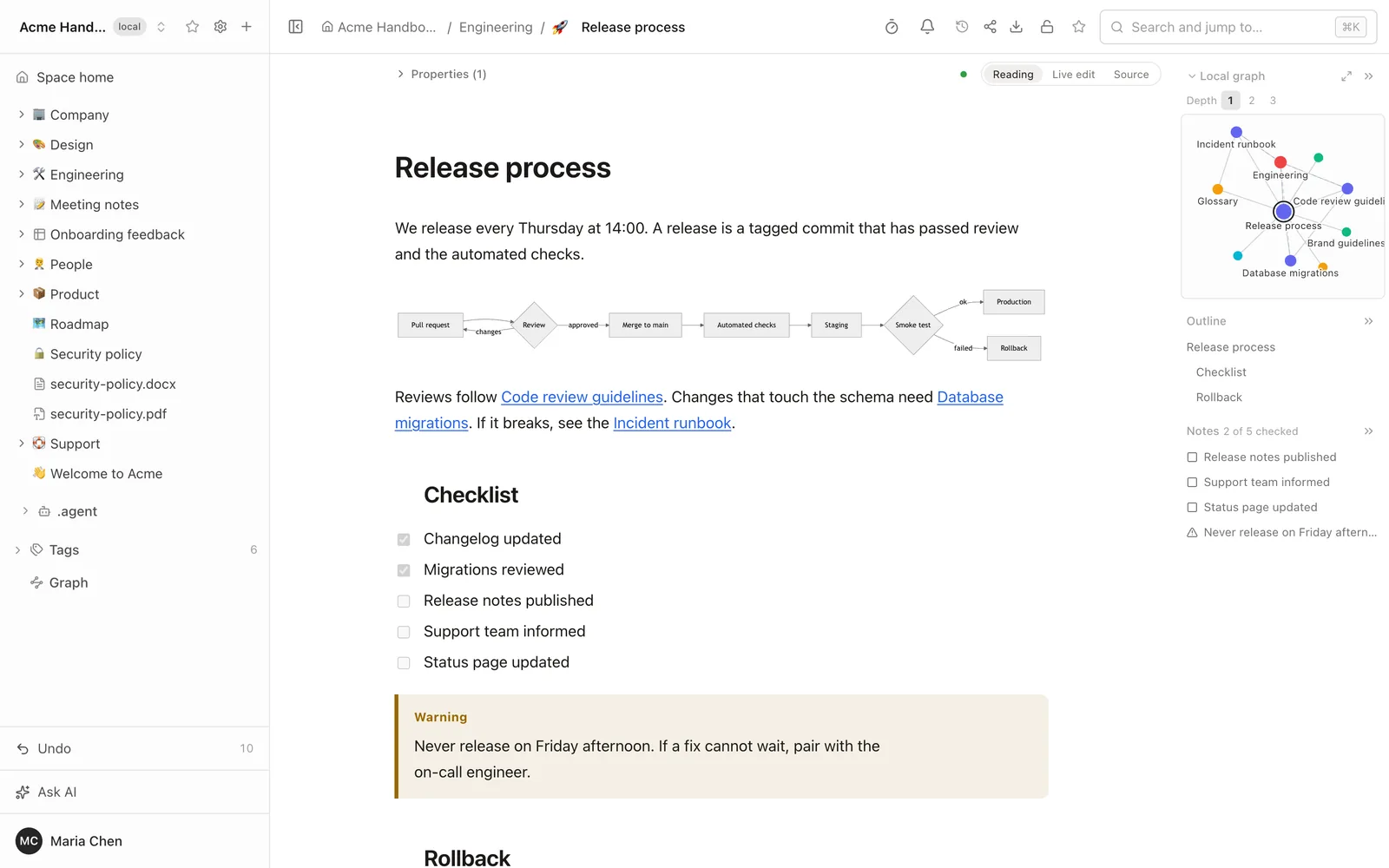
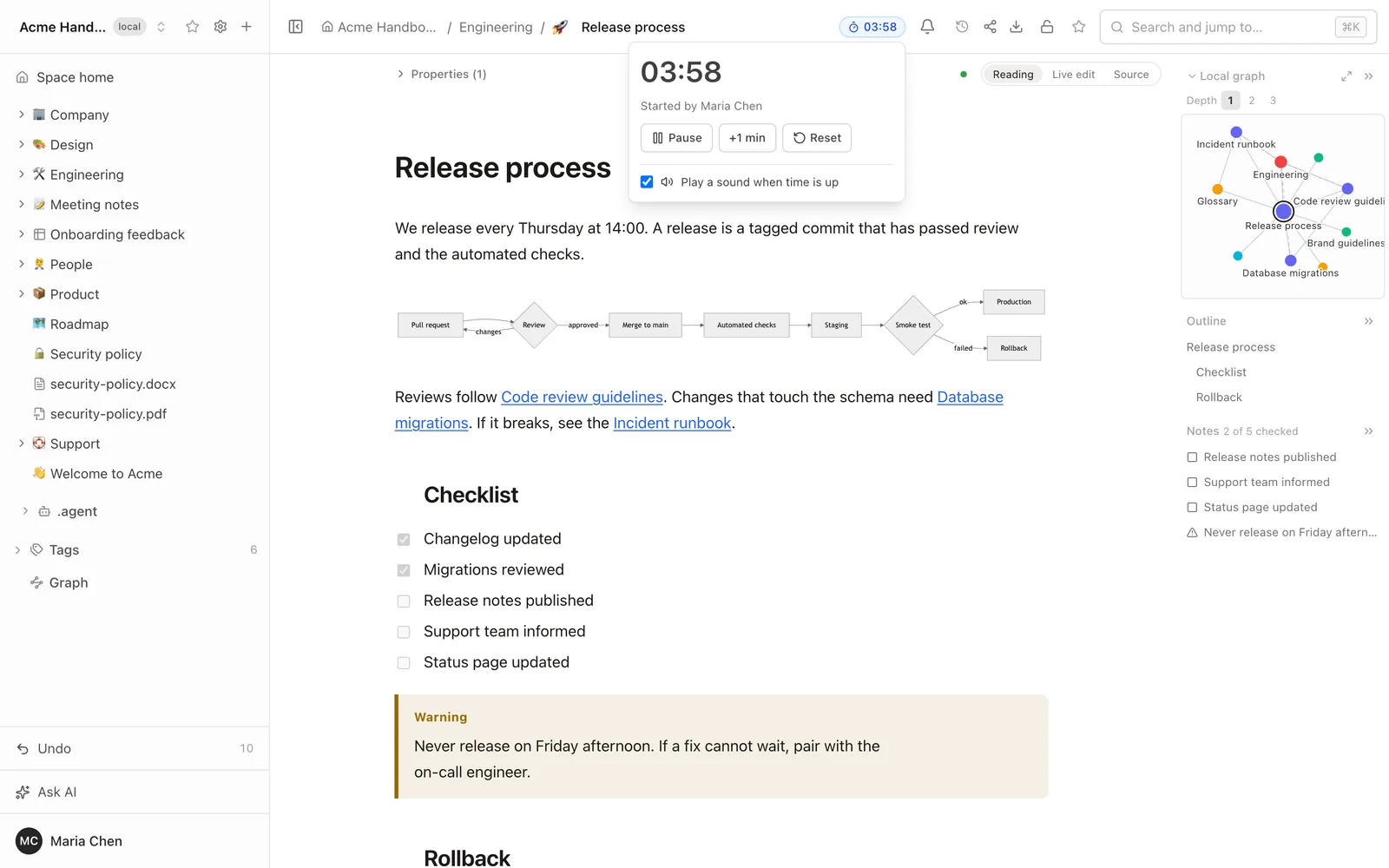
The local graph sits at the top of a document's right-hand panel. It shows the page and its neighbours one to three links away, following links out, in or both, with the parent, children and siblings counted as neighbours. An agent can ask for the same graph over MCP.
Obsidian Canvas, shown as it is
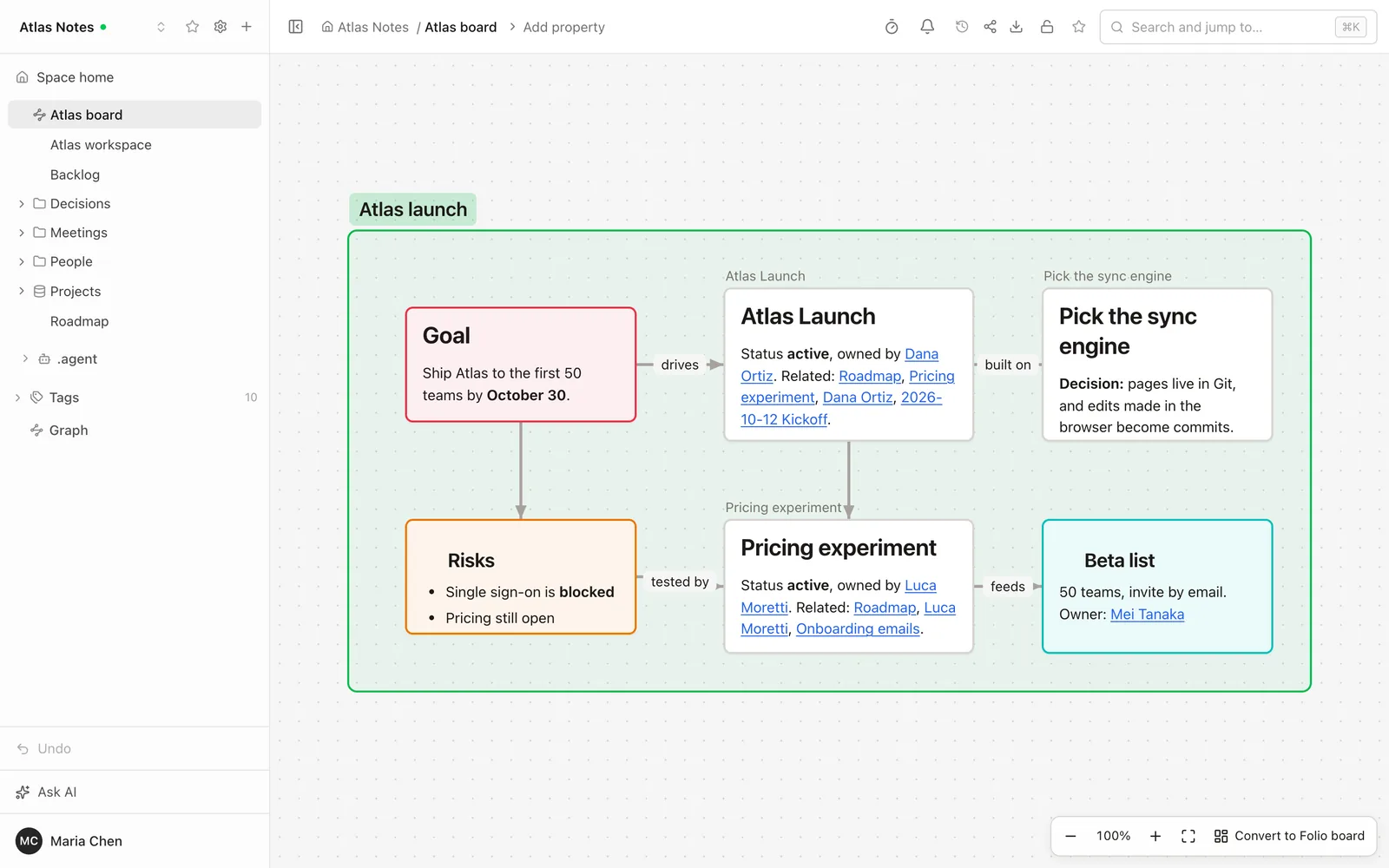
A canvas file from a vault opens as a page. It is an infinite canvas with pan and zoom: text cards drawn as Markdown, note cards, images, web page cards, groups and connections in Obsidian's colours. A card that points at a page you may not open says only "No access". Text cards are searchable and file cards appear in backlinks.
The canvas is read-only, and Folio does not write the file while showing or indexing it. When you want to work on it, "Convert to Folio board" makes a new editable whiteboard next to it, in one commit, and lists first what a board cannot keep: Markdown formatting, the body of note cards (a title and a link stay), long text, large images and nested groups. The canvas itself stays. When a page that a canvas points at is renamed in Folio, the canvas follows, with only the changed paths rewritten.
Bases: a saved query over your pages
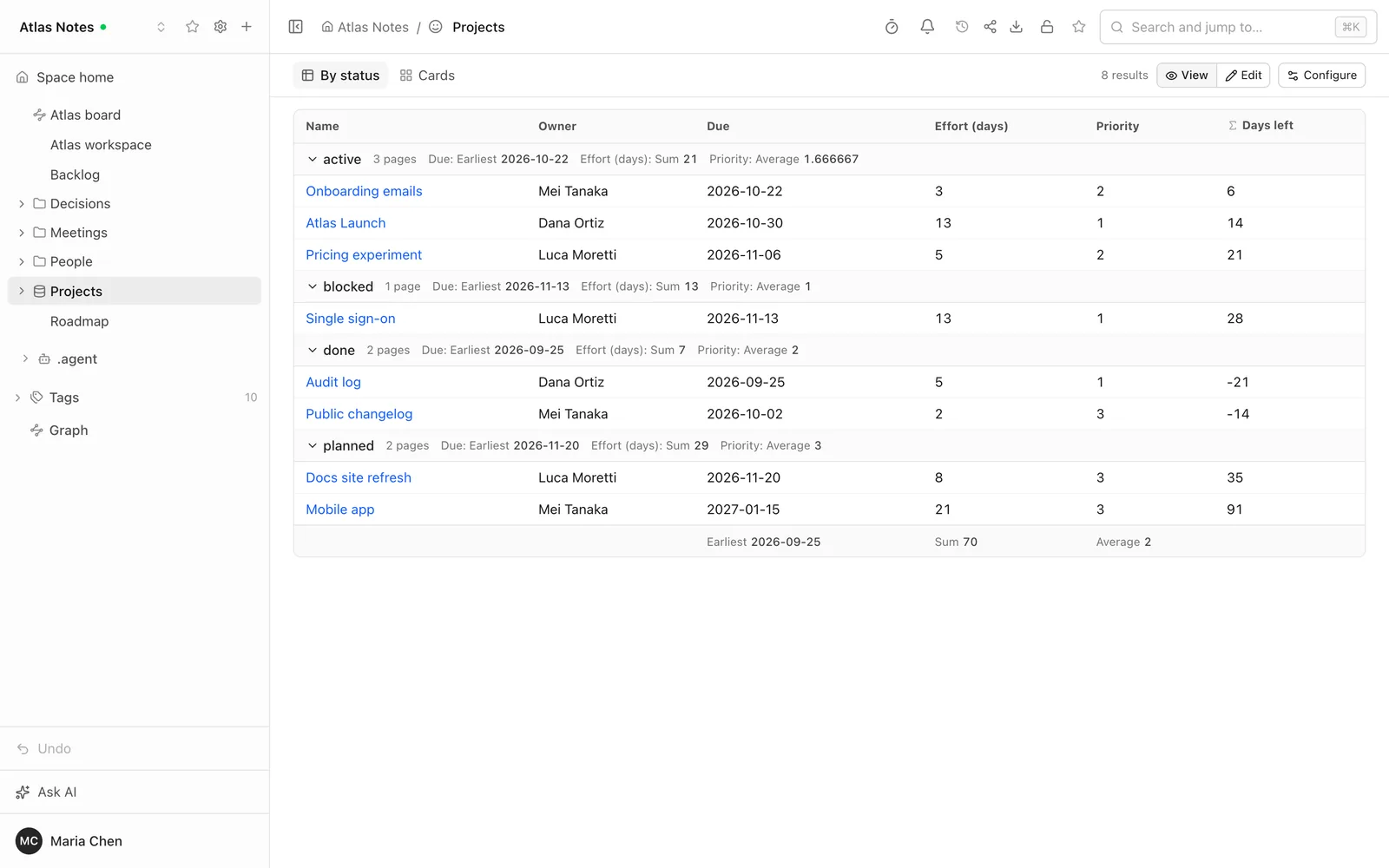
An Obsidian base is not a table you fill in. It is a saved query over the pages of its space: filters, formulas and views. Folio runs it as a table, cards or a list, with grouping, sorting, summaries and formulas. Rows are the pages you may open, with access applied in the query again.
You can also work in it. An Edit toggle turns cells into inputs, and a change writes that page's property, only on pages you can edit and only note properties, never a computed column. A "Configure" editor changes views, filters and formulas, with a raw YAML tab, and keeps what you did not touch byte for byte. "New base" creates one, and "Save as base" turns a search into one.
Smaller changes for teams
- A timer that belongs to the page. A timer icon in the header starts a countdown of 1, 3, 5 or 10 minutes, or a custom time up to three hours. Everyone who has the page open sees the same time and reaches zero together, with a soft chime. Editors control it, readers watch. It suits a meeting or a retro on a board.
- Link previews in Slack and Teams. A pasted Folio link becomes a card with the title, breadcrumb, opening text, headings, tags and last update. Each person connects their own Folio account once from the chat app, and the card is built with their access: a page they cannot open gives a card with no title. A page restricted to specific people shows its title only, because the whole channel sees the card.
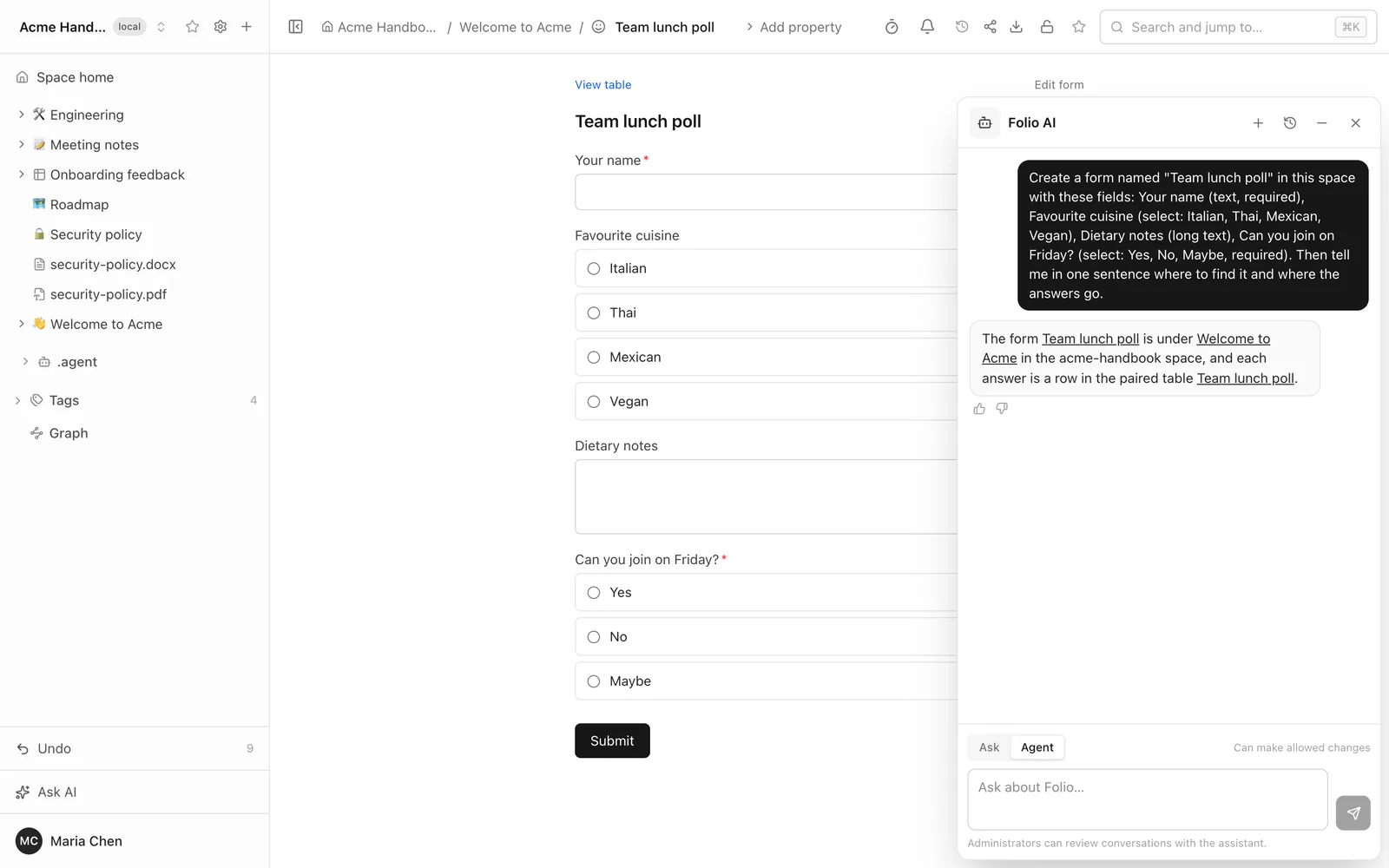
- Forms keep your work. The form editor keeps a draft in the browser and offers it back after a reload, and a person filling in a form gets their answers back too. Drafts stay in the browser, and file contents and sensitive fields are never stored.
- Error reporting is off, and opt-in. If you set a Sentry project of your own, the server and the browser report unhandled errors there, and the user menu gets a "Report a problem" dialog. Nothing goes to the Folio authors, and page content, search words, request bodies, cookies and query strings are not sent. With no project set, nothing is loaded or contacted.
Agents build forms, tables and bases
Over MCP Folio now has 40 tools, 20 of them read-only. New ones create and change a form together with the table its answers go to, change a table's columns and views, turn a canvas into a board, read the graph and run a base. Folio AI in Agent mode has the same abilities, and its Ask mode hides exactly the tools that write. Everything runs with the rights of whoever owns the token, so an agent builds only where that person could.
Where it stops
- Graph: no graph on public sites or share links, no saved layouts, no 3D. A space shows at most 10,000 pages, the most recently changed ones, and says so.
- Canvas: view only. You cannot add or move a card in Folio, and web page cards show a URL, not the page.
- Bases: Kanban and map views fall back to a table, and functions from plugins are not supported. A query looks at 5,000 candidate pages and shows 200 rows at a time. There is no base across several spaces and no embedded base file. Share links and public sites show a note instead of a base, because a base exposes properties.
- Dataview and plugins still do not run.
- Timer: it lives in the memory of one server process, so a restart clears running timers.
- Chat previews: one Slack workspace and one Teams tenant per instance, and a card is not updated afterwards.
The full list is in LIMITATIONS.
Try it
Open a space with a few linked pages, click Graph under Tags, and turn on Tree structure. Then drop in a canvas or a base from a vault. The public demo runs the release. If a canvas or a base renders wrong, tell us on GitHub Discussions with the file or the syntax that failed.
More from the blog
- Open an Obsidian vault as a team wiki, without changing a file
- Publish a wiki space as a public website, and let visitors ask it questions
- Docs-as-code without the IDE: edit your repository's docs in a browser
- New hires ask the wiki, and the wiki learns what it lacks
- Folio boards: built on Excalidraw, made for teams