Docs-as-code without the IDE: edit your repository's docs in a browser
· Sergii Kravtsov · Folio
Docs-as-code without an IDE means the documentation stays Markdown in the product's Git repository, and the people who write it edit it in a browser. In Folio you connect the repository, or just its docs folder, as a space; the files become pages, the editor and the AI assistant work on them, and every change goes back to the same repository as an ordinary commit that a developer reads in git log.
This post follows a technical writer through that setup and then explains how the sync with Git works. The limits have their own section, and after it comes what we are building next.
How docs live in a code repository today
Our own documentation is a fair example, because it sits next to the code. The public Folio repository has a README.md in the root and a docs folder with FEATURES.md, INSTALL.md, MCP.md, LIMITATIONS.md and HANDOFF.md, plus a CHANGELOG.md beside them. It is all Markdown, versioned with the code, and it changes the way code changes: an editor, a commit, a review.
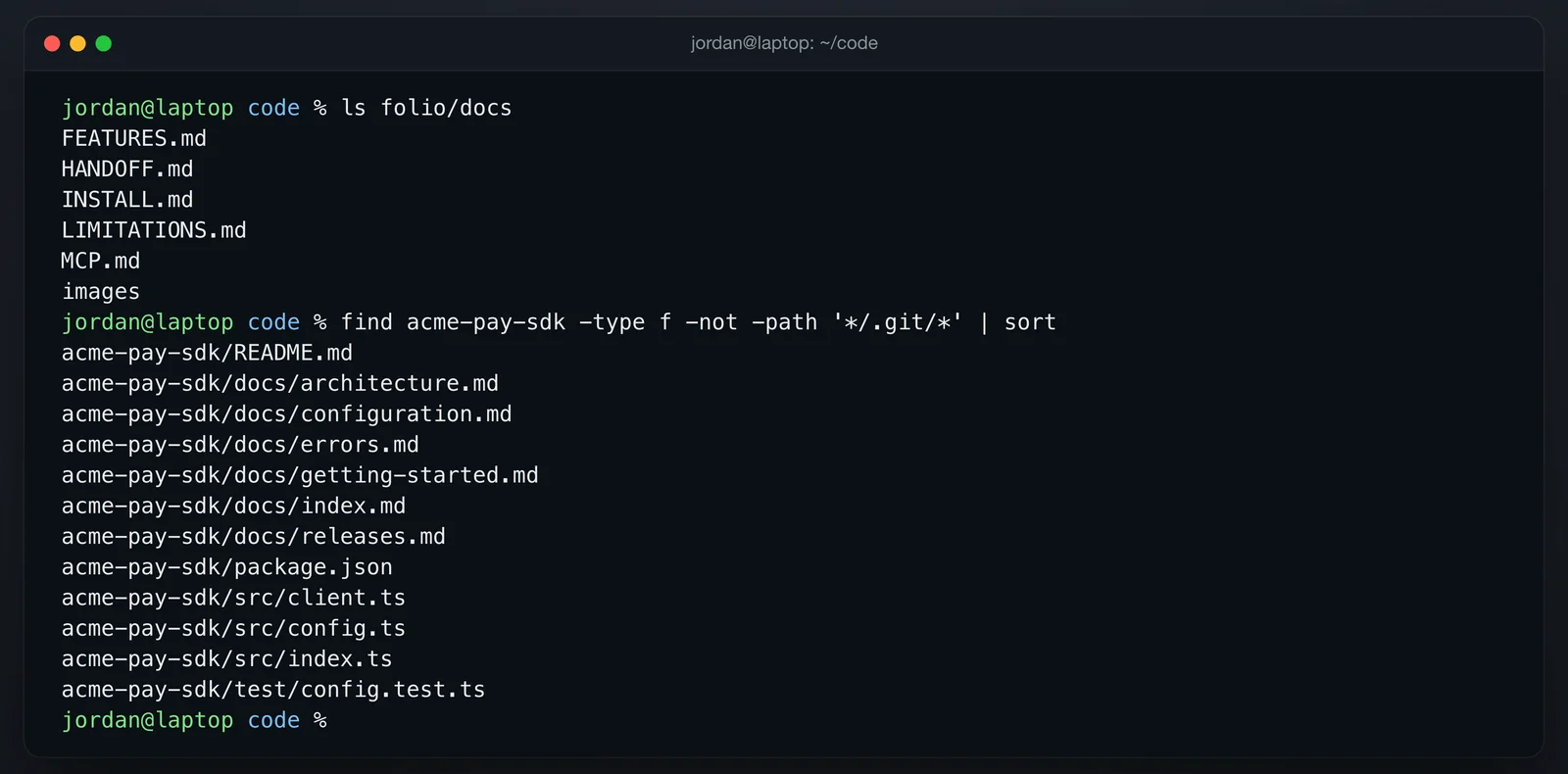
That works for developers and is awkward for everyone else. To fix a sentence in MCP.md you need a clone, a branch, a Markdown editor, a preview and a pull request. A technical writer can learn that, but a product manager, a support lead or a new hire usually will not, so what they know about a wrong page stays in their heads and the docs fall behind the code.
The same repository as a Folio space
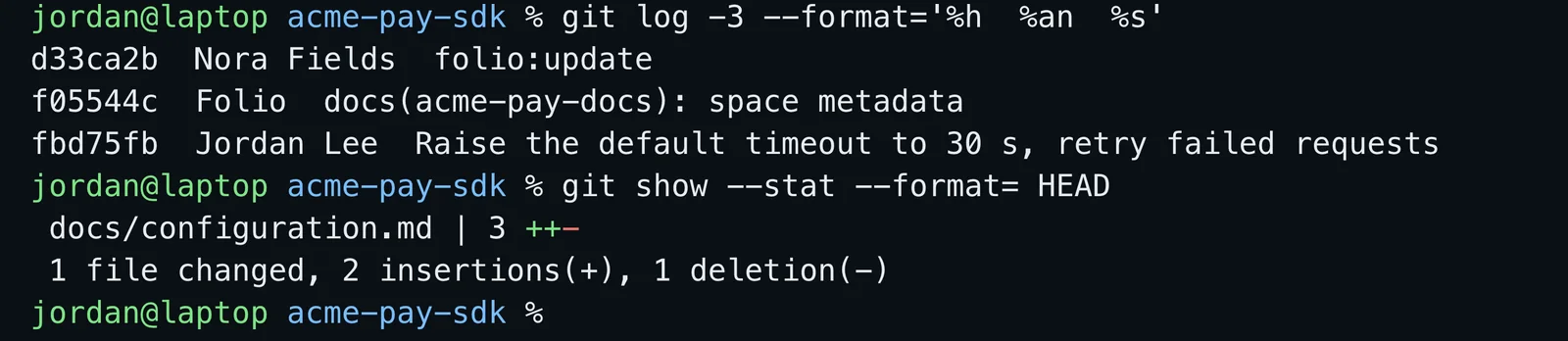
When you create a space from a Git repository you give Folio the URL, the branch and, optionally, a root path inside the repository. For a code repository the root path is the docs folder, which you can pick from the repository's folder tree. Folio clones the whole repository (a partial clone, so contents are fetched on demand) and shows only that folder. Every Markdown file in it becomes a page, and a README.md becomes the page of its folder when there is no index.md. Source code and other file types are not pages, and Folio neither indexes nor edits them.
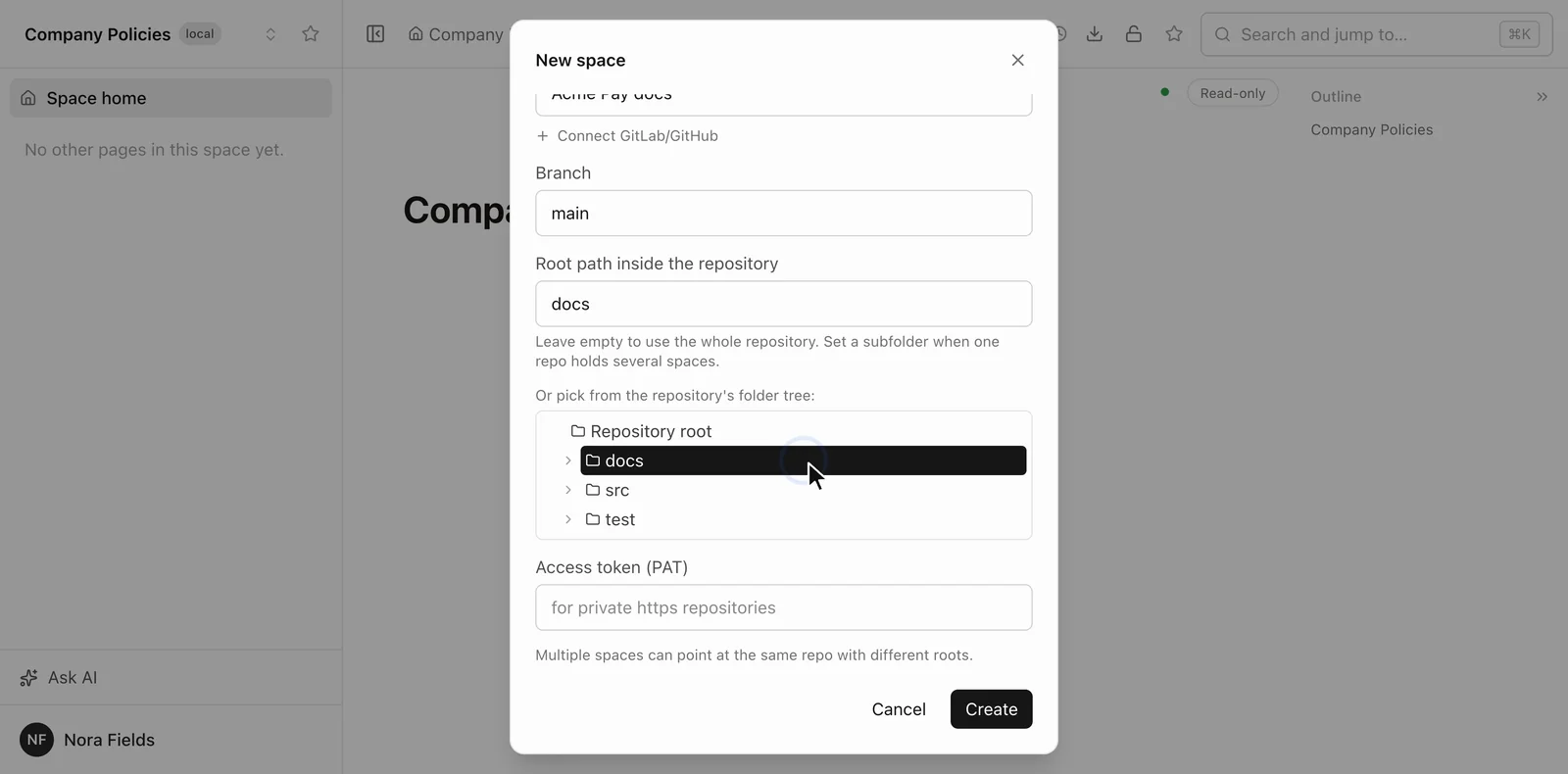
Connecting a docs folder leaves its files as they are. Folio keeps its page ids in its own index, not in your front matter, keeps the keys your site generator needs, such as title, sidebar_position and tags, and adds one hidden file, docs/.<slug>.folio. When a page moves, the relative links inside it and the links to it from other pages are rewritten in the same commit. A space admin can also send pasted images to an assets folder next to the docs, linked by a relative path, so they show on GitHub as well.
The writer edits a page in Reading, Live edit or Source mode (plain Markdown), and several people can work in one page at once. Folio writes each edit to the file on disk at once and makes the commit after about 90 seconds of quiet, or immediately on Sync. The author of the commit is the last person who edited in that window, so the history shows Maria Chen and not a service account; the committer is Folio, the message is folio:update, and the push goes to the branch the space follows.
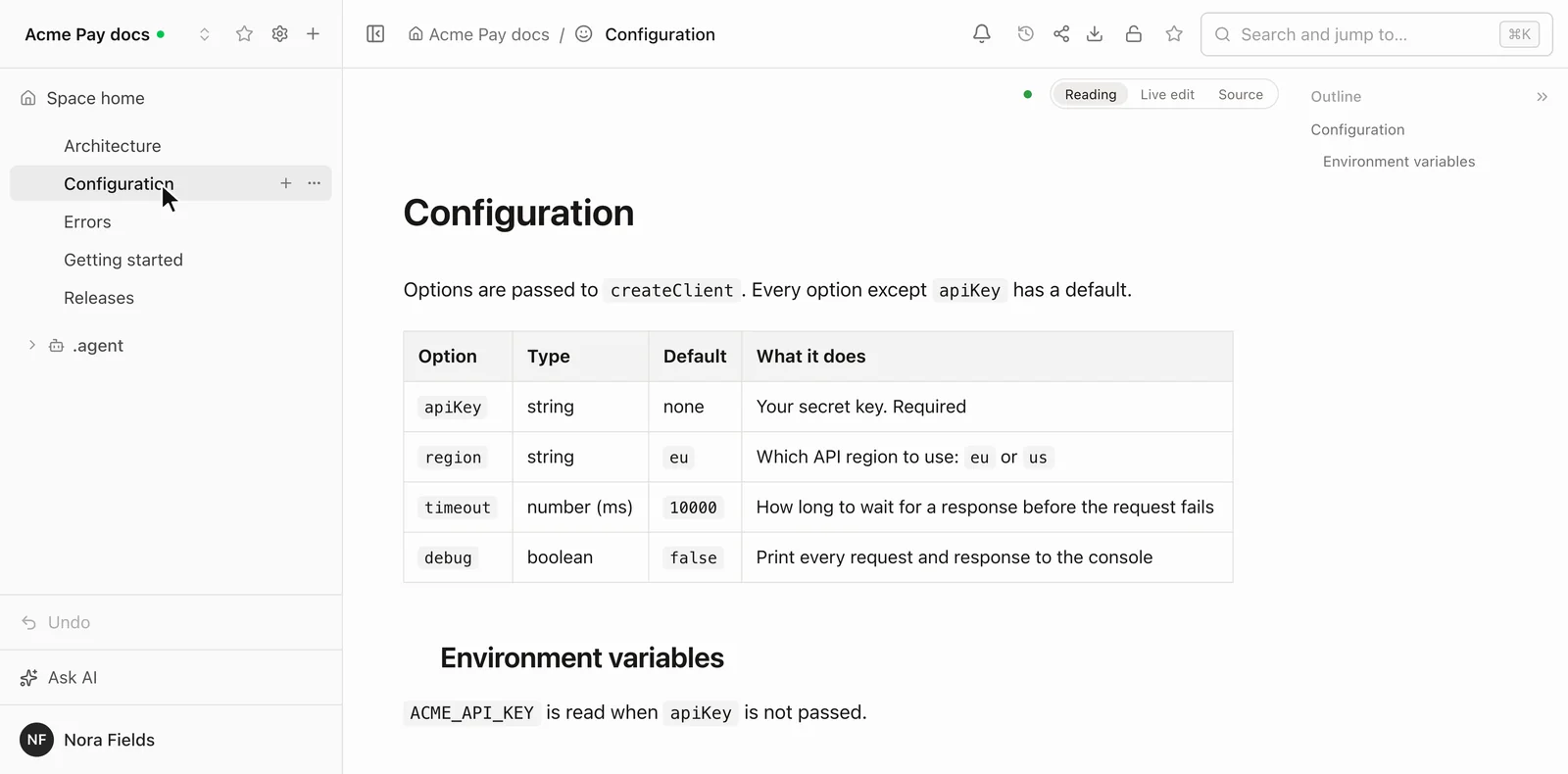
Developers see this with git pull, git log and git blame. Their own commits travel the other way: Folio fetches about every three minutes and on every sync, and an open page picks up the merged text.
Three ways to change a page
A technical writer has three ways to change a page, and all of them use the same rights and end in the same kind of commit. The first is typing in the editor. The second is Folio AI, the assistant in the side panel: in Agent mode, the default, it can create and edit pages in the space, and in Ask mode it only reads, with the write tools removed on the server and not just hidden in the interface. The third is any agent you connect over MCP, such as Claude Code or Cursor, with a personal access token or through OAuth. Folio AI calls the very tools an outside agent gets, so neither is weaker.
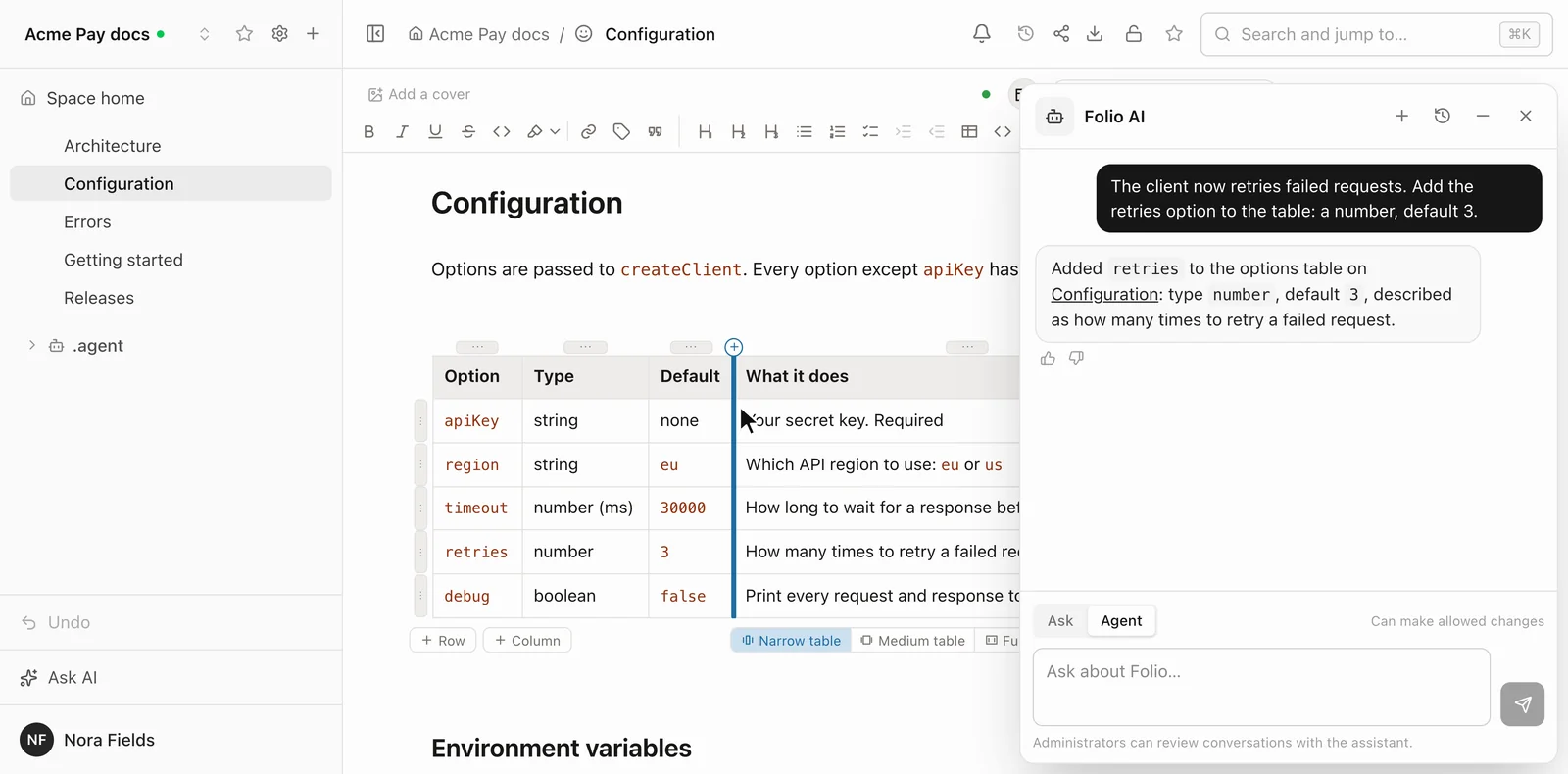
What they can do is the same, and deliberately modest: search and read pages, create a page under a parent, replace a page's body without overwriting whoever is editing it at that moment, work with whiteboards and data tables, and read a page's history. A request can be as plain as "add a Limitations section to the MCP page". They act with the writer's rights and no more, so a page the writer cannot open stays invisible to them, and the Git commit carries the writer's name.
Folio AI has one extra for a docs space, the .agent folder: ordinary pages that only space admins can edit and that are added to every assistant run in that space. The glossary, the tone and the style guide go there, versioned like the docs. Both kinds of agent are told to change only what was asked, but the page history is the place to check: it lists every revision, and any of them can be restored.
What happens when two people edit the same file
Sync is a merge, never a rebase. Folio commits what is on disk, fetches the remote, merges the remote branch into its own and pushes. Edits in different places combine on their own. When both sides changed the same lines, Folio commits the conflict markers locally, does not push them, marks the space as Conflict and lists the files. The writer fixes the text like any other edit, or presses "Take the version from Git", which makes the space match the remote branch after saving what was there to a folio-backup branch.
A space follows exactly one branch, chosen when it is created, and Folio pushes straight to it without opening pull requests. For review before docs reach main, point the space at a docs branch and merge it as you merge anything else. If a branch is protected against direct pushes, git refuses the push and the space shows git's message as an error.
Access is Folio's own: admin, editor or viewer per space, narrowed per page, and kept in Folio's database and not in Git. A writer therefore needs no GitHub or GitLab account; Folio pushes with the token saved for the space, and the person's name goes into the commit as its author.
Why this fits internal documentation
Internal docs are where docs-as-code usually loses to a wiki, because the people who know a page is wrong are not the people with an IDE: the support lead who answered the same question for the third time, the product manager who changed the flow yesterday, the new hire who got stuck on step four of a runbook. In Folio they fix it in a browser in a minute, while developers keep what made docs-as-code worth choosing: history, diffs, blame and review. The agents read the same pages, so an assistant can answer a new person from them with a link to the source, as in the onboarding setup.
Where it stops
The full list is in LIMITATIONS.md; these are the ones that matter for docs in a code repository.
- A space over the whole repository writes ids into your files. Without a root path, Folio adds an id to the front matter of every Markdown page that lacks one and a small file named after the space to the repository root, so the first commit touches many files. Connect the docs folder instead and neither happens. Other tools' front matter keys are kept in both cases.
- The Markdown goes a little beyond CommonMark. Status tags, highlights, underline and the page-tree directive are Folio's own, so other renderers may show them as plain text. Callouts use the GitHub alert syntax.
- Pasted images stay in Folio until an admin switches the space. By default an image pasted into a page goes to Folio's asset store and is linked by a Folio address, so it does not show on GitHub or in an IDE preview. With "Store images in the repository" turned on, new images go to the repository; images pasted before that do not move.
- Link rewriting covers ordinary Markdown links only. On a move or rename Folio rewrites standard inline Markdown links and images, but not HTML tags or reference-style links. File names of new pages are Latin only, although the title can be in any language. The commit is not instant either, and Folio needs its own server with PostgreSQL and Redis.
- Agents cannot delete or move pages or change access. There is no MCP tool for that, so it stays in the interface.
- Folio AI runs on a Cursor key, as the onboarding post explains.
Coming next: public docs from a Folio space
People outside the team can already read what you share: a link to a page, optionally with its child pages, works without an account. What Folio does not have yet is a public documentation site built from a space. We are building it: publishing a Folio space as a public, read-only docs site is in progress and coming soon. If you have requirements or a scenario for it, such as a custom domain, search or versions, write to us on GitHub Discussions and tell us what it would have to do for you.
Try it
To run Folio yourself, start with the install guide; connecting a repository is the "From a git repository" tab of the New space dialog. The public demo shows the editor, but Git and the AI assistant are switched off there, so the sync needs your own installation. The code is on GitHub under the MIT license.