Folio boards: built on Excalidraw, made for teams
· Sergii Kravtsov · Folio
Folio boards run on Excalidraw. On top of it we added sticky notes, emoji reactions, a one-click heading and live co-editing, and every board is stored as a file in your Git repository, next to your pages.
This post shows what is new, then explains how it works inside: what runs in the browser, how people stay in sync, where the board lives and what an agent can do with it. The limits are at the end.
What we added to Excalidraw
Excalidraw gives the canvas: shapes, arrows, freehand drawing, text, undo and grouping. Grouping is Excalidraw's own feature and we do not claim it. Four things are Folio's.
Sticky notes from a palette
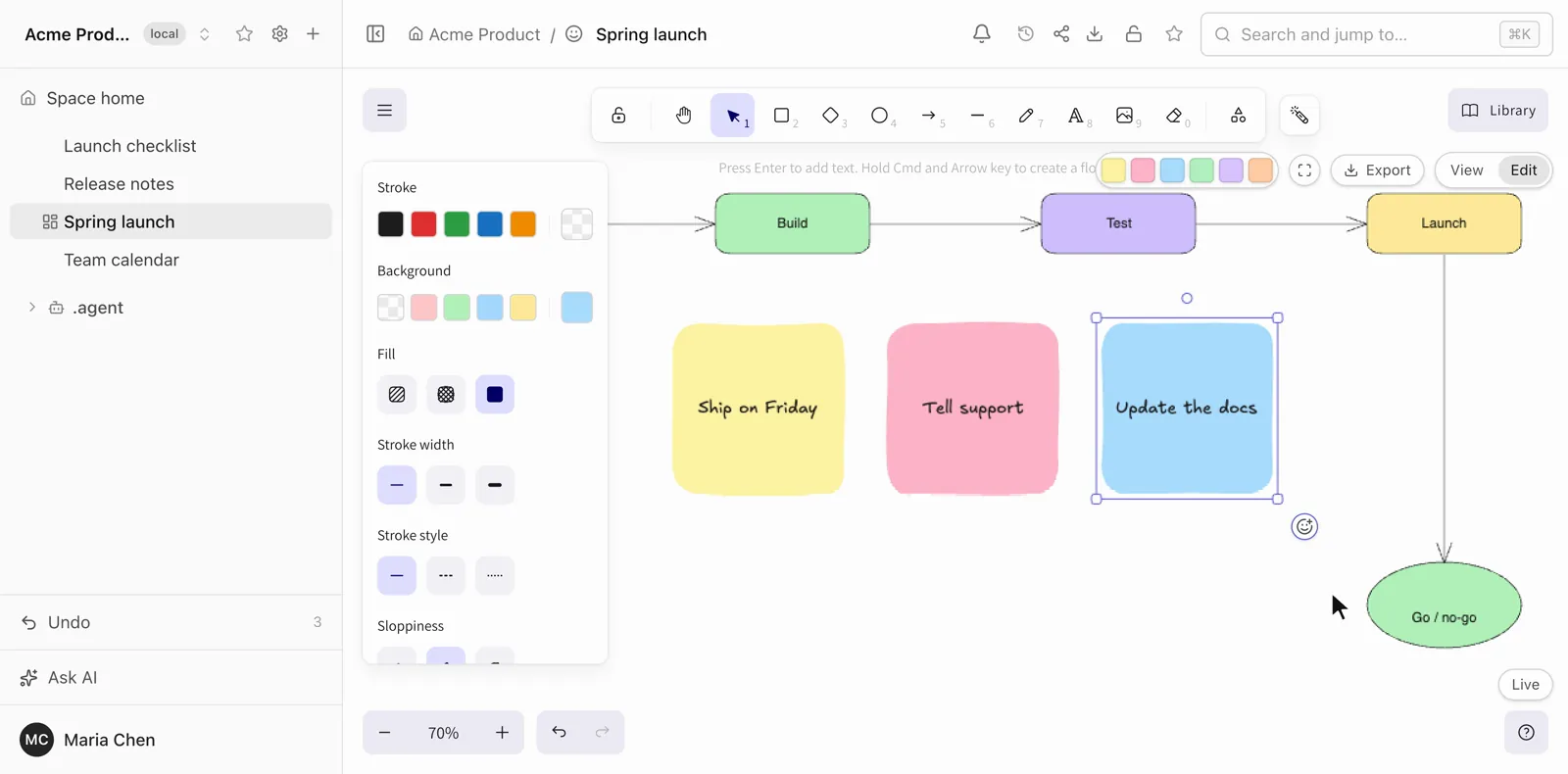
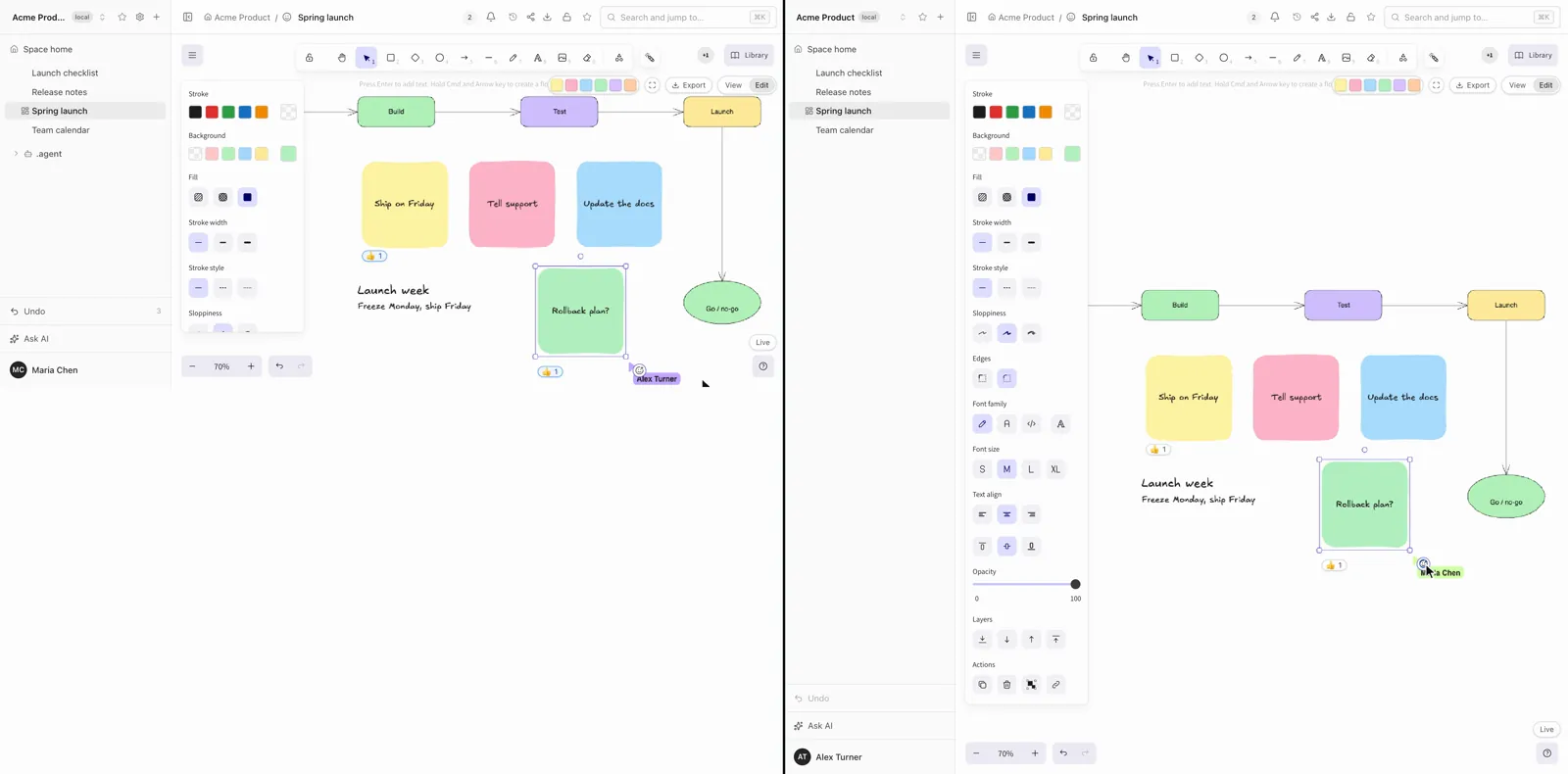
In Edit mode, a palette of six colors sits at the top right. Click a color and a note appears in the middle of your view with its text field already open. Drag a color onto the canvas instead and the note lands where you drop it. Notes are ordinary Excalidraw shapes with a label, so you can resize, recolor and group them like anything else.
Emoji reactions instead of comments
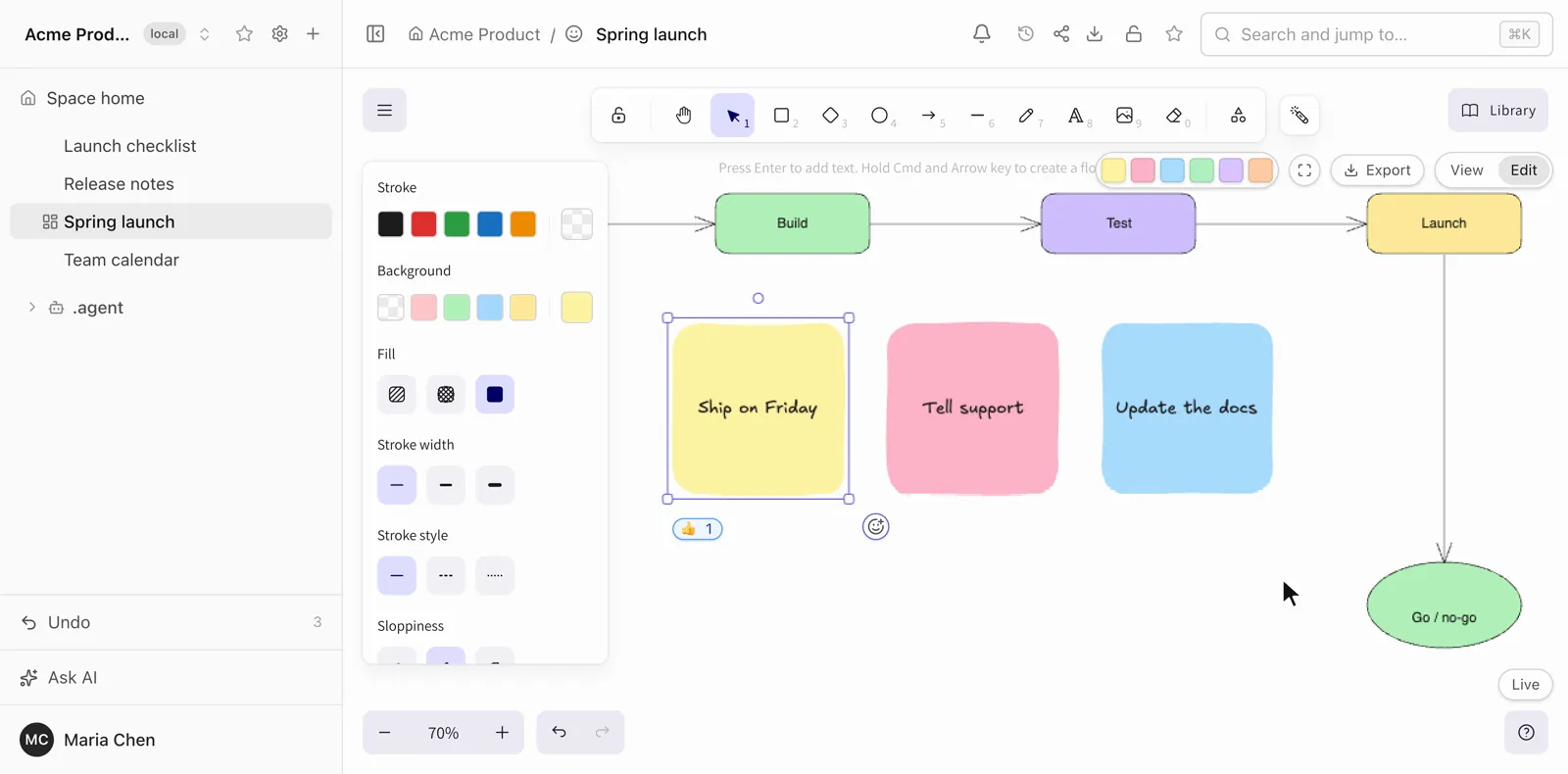
Select one shape and press the smiley button at its bottom-right corner. Pick one of 11 emoji; the first three are a check mark, a cross and a wrench for "in progress", so a quick yes, no or working-on-it needs no comment. The reaction shows as a small counter under the shape, and a second person choosing the same emoji raises the count.
A heading in one click
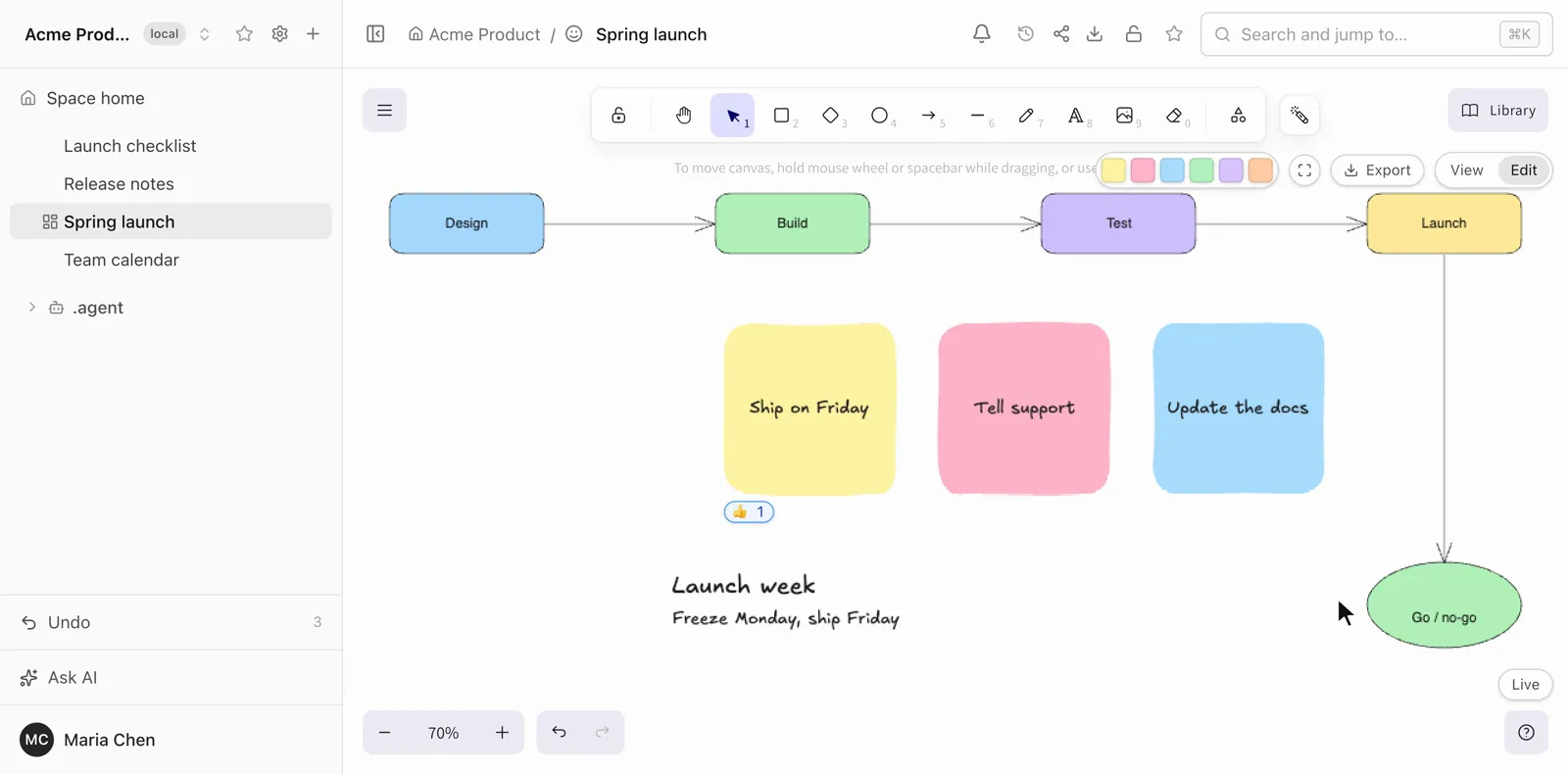
Excalidraw has no bold text and no mixed sizes inside one text block. So type a title and a line under it, select the block and press Make heading. Folio splits the first line into its own text element, 1.4 times larger, and keeps the rest as the body underneath. It works on free text blocks, not on labels inside shapes.
Live co-editing with named cursors
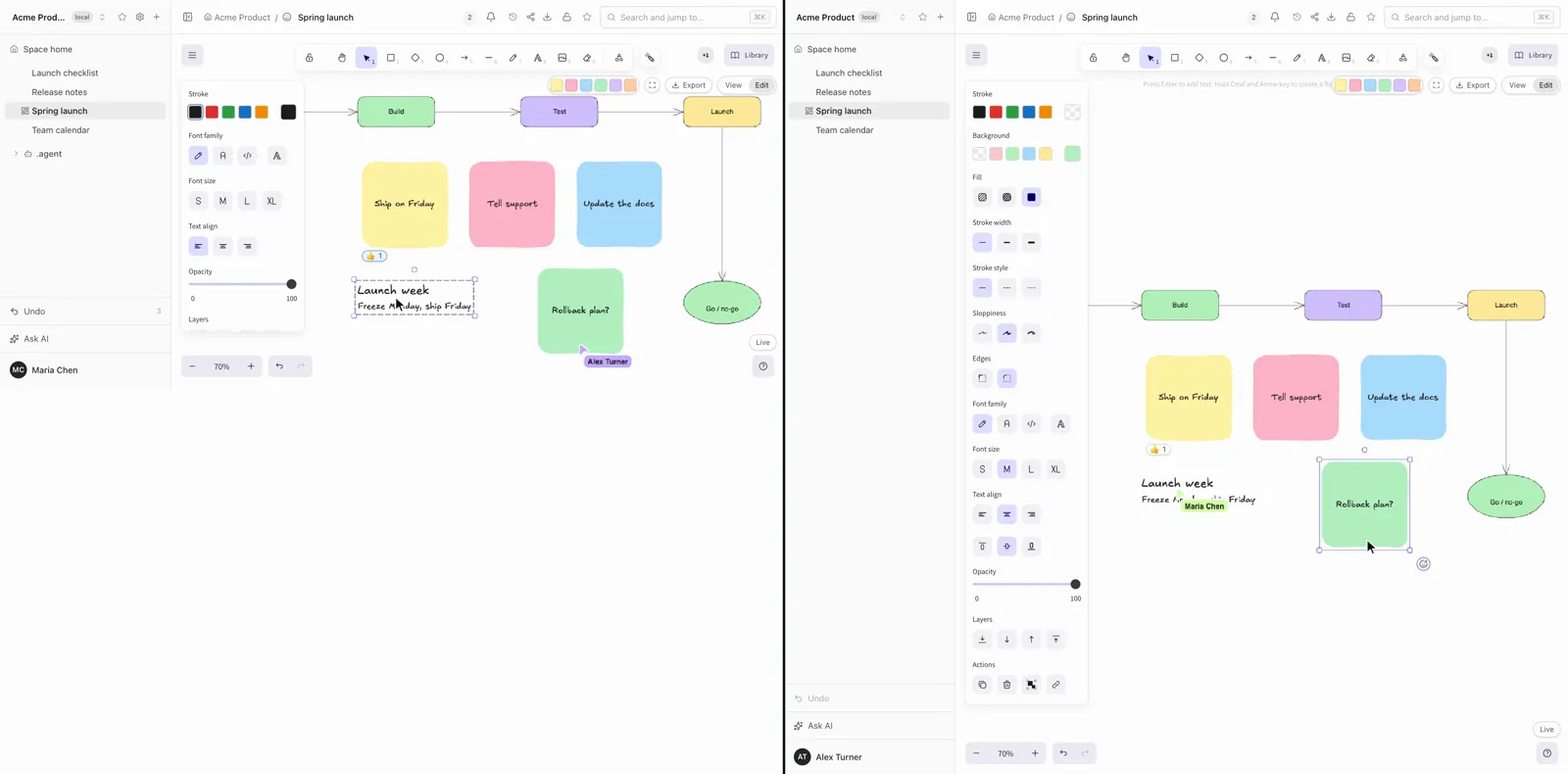
Open the same board in two windows and each sees the other's cursor with a name, and every change as it happens. A small indicator in the corner reads Live while the connection is up. Two people can move different shapes at the same moment and both changes stay.
How it works
Four parts and nothing else in the path: the editor in the browser, the Folio server, a Git repository, and optionally an agent.
The editor
The browser runs Excalidraw as the editor, with a Folio layer on top: the note palette, reactions, the heading action, the presence of other people, a View and Edit switch and an export menu (PNG, SVG, or copy to the clipboard). Undo is Excalidraw's own.
How people stay in sync
Each open board is a room on the Folio server, named after the page. Browsers join it over a WebSocket. The state of the board is a Yjs document, a CRDT: every shape is its own entry keyed by its id, so edits to different shapes merge without any locking. Cursors and names travel over the same connection as presence information and are never saved. Every ten seconds a browser tells the server what it has, which repairs a dropped message. A board you opened before is cached in the browser and opens offline; it catches up when the connection returns.
Where the board is stored
The server writes the room's state to disk about a second after the last edit, as one SVG file in the space's folder. The Excalidraw scene is embedded in that file, so it opens as a picture in any viewer and as an editable board in Folio. The server also refuses a write that would quietly shrink a board it has not finished loading.
Git does the rest. Folio commits after about 90 seconds of quiet, or immediately when someone presses Sync. The commit author is the last known editor of the space; Folio does not write co-author lines. If a remote is connected, the sync also fetches and merges. History is plain Git history: each version of a board is a commit, and an agent can read the board as it was at any commit through MCP.
Where reactions live
Not in the file. A reaction is one entry in the same live document, per shape, emoji and person, and the server saves it in its database together with the board's real-time snapshot. Adding one does not touch the shape and is not an undo step. The price: reactions are not in Git history and do not travel with a clone of the repository. That is in the documented limitations.
Who can edit
The server checks the role when a browser connects. Editors and above can change the board. A viewer's connection is read-only on the server: it can ask for the state and send its presence, and any edit it sends is dropped. Hiding buttons in the interface is not the guard. Share links follow the same rule: an edit link gives a guest editor rights, a view link gives viewer rights, and a link never raises the rights of a signed-in person who has a lower role.
What an agent can do through MCP
Folio's MCP server has board tools. An agent can create a board from a compact description of nodes and edges, or from a full Excalidraw scene; replace the content of a board; read a board as a summary of its shapes, arrows, free texts and frames; and adjust an existing board by shape id: align, distribute, move, resize, snap to a grid and auto-layout, with arrows rerouted and labels kept. Before anything is written, the scene is checked, and a bad one (an arrow bound to nothing, text overflowing its shape) is rejected with an error. Writes need a write-scoped token. When someone has the board open, the change goes into the live room, so people watch it happen.
Self-hosted
Sync runs between your browsers and your own Folio server. No third-party relay or hosted whiteboard service sits in the path, and the board files are in your Git repository. Folio is open source under the MIT license.
Where it stops
- Reactions are not in Git. They live in the board's live state, so they are not in history and do not move with a clone.
- One shape at a time. A reaction goes on a single selected shape. Arrows, lines and freehand strokes cannot carry one, and a note inside a group is selected as the whole group, so the button disappears there.
- Make heading is for free text. Labels inside shapes are not offered it.
- Notes land in the middle of your view, on top of whatever is there. You drag them apart.
- History is not instant. The commit follows about 90 seconds after the last edit, unless you press Sync.
- A reader sees a picture. In the documented limitations, a reader sees a board as a static image; the Excalidraw editor is not enabled for them.
Try it
Open the public demo, pick Sam on the sign-in screen, open a board and switch to Edit. The data resets every 24 hours. To run Folio yourself, start with the install guide; to connect an agent to your boards, see integrations. The code is on GitHub.