Groups and single sign-on in an open-source wiki: free, in one MIT edition
· Sergii Kravtsov · Folio
A wiki without single sign-on is one more place where somebody has to create an account on a person's first day and remember to close it on the last. Most teams do the first part and forget the second. Folio now takes both jobs from the system that already knows who works for you: your identity provider. It signs people in through OpenID Connect or SAML 2.0, creates and deactivates accounts over SCIM, and puts people into groups that hold roles in spaces and rights on single pages.
Groups and single sign-on are available in Folio 0.4.2, and they are in the one MIT edition: there is no enterprise tier to buy. Below is what shipped, how the pieces fit, the security choices in plain words and where it stops. The pictures come from a test instance with made-up people, a Keycloak server and demo data.
Why the identity provider should own the accounts
Onboarding is the easy half. A new colleague gets a mailbox, a chat account and a laptop, and the wiki is one more item on a list. Offboarding is where wikis leak: the person who left in spring still has a password, a session in a browser and a token in a script. The fix is not a better checklist but one source of truth. When the identity provider says a person is gone, every tool that trusts it should agree, and when it says someone joined the Engineering group, that person should get what Engineering gets. So the identity provider decides who a person is and which groups they are in, and Folio decides what each group may do.
Sign-in: OpenID Connect and SAML 2.0
Folio talks to any OpenID Connect provider, and the install guide has notes for Keycloak, Authentik, Microsoft Entra ID, Okta and Google. SAML 2.0 works with Entra ID, Okta, Keycloak, Google Workspace, ADFS and others. You can run several providers at once, set them up in the interface or with environment variables, and a Test connection button signs in once in a popup and shows what the provider sent, without creating or linking an account.
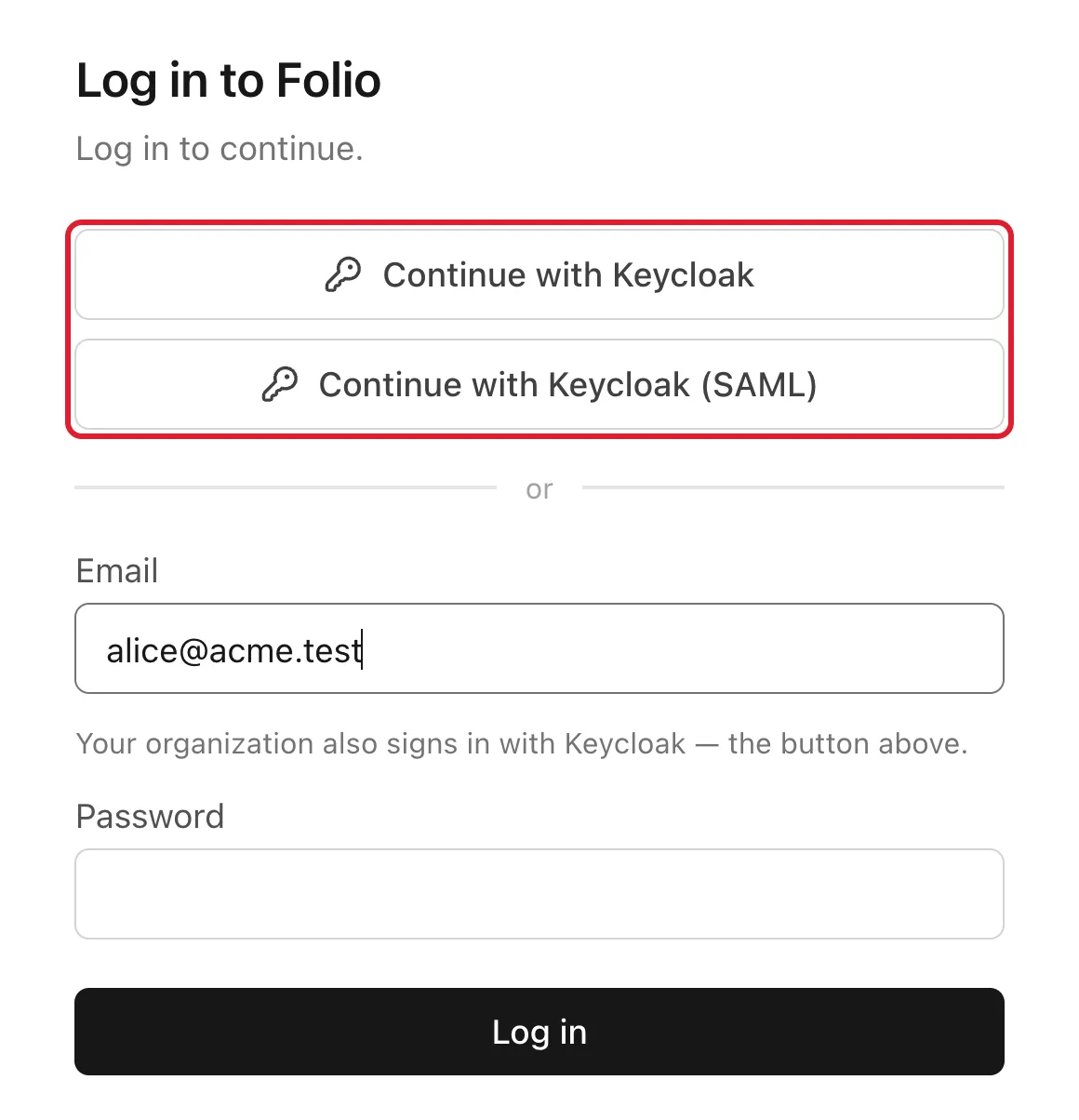
Switch on enforced single sign-on for your email domains and those people cannot use a password at all. The one exception is deliberate: instance administrators keep an emergency password login, so a broken identity provider does not lock everyone out, and every use of it is written to the audit log.
Groups: by hand, or from the identity provider
A group is a named set of people. A group holds a role in a space and a grant on a page, and a person gets the highest of their own role and the roles of their groups. You can fill a group by hand, or let the identity provider do it: at every sign-in Folio adds a person to the Folio groups named in the groups claim or attribute and removes them from groups the provider no longer reports. Matching is by name, or by a table when the provider sends ids, as Entra ID does. An allowlist keeps unrelated directory groups out.
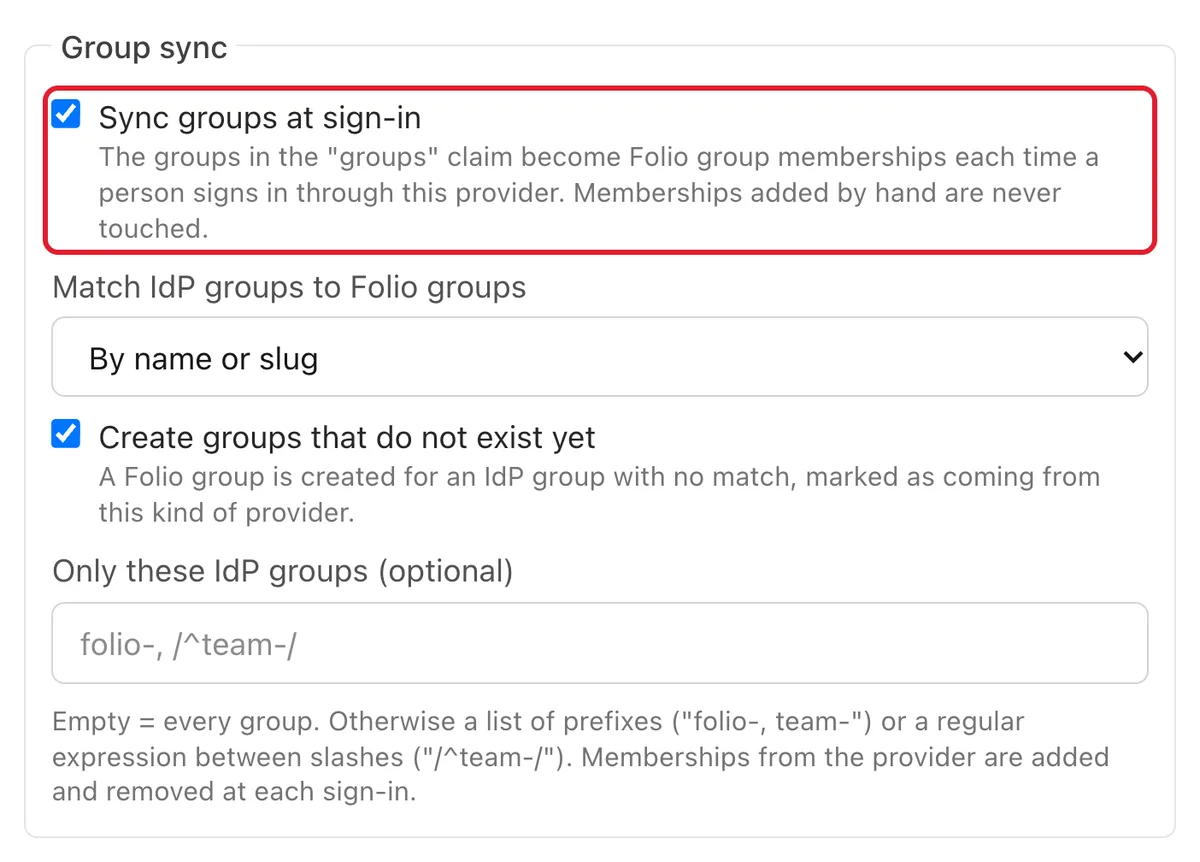
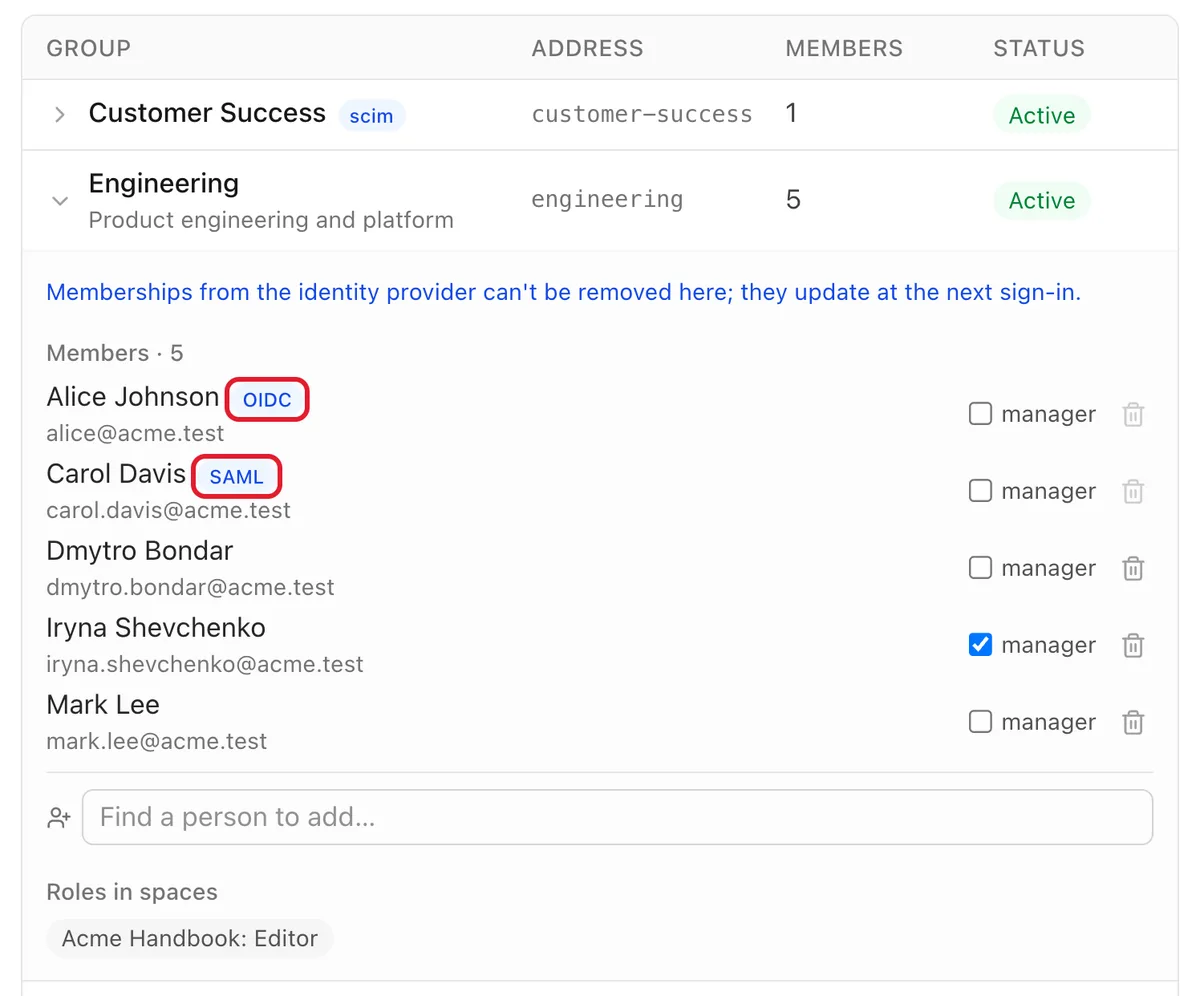
Hand-made memberships are never touched by the sync, and the last administrator of a space is never removed by it. Groups and members that come from a provider carry a badge, so an administrator can tell at a glance which memberships to change in the directory and which in Folio.
SCIM: accounts created and closed by the provider
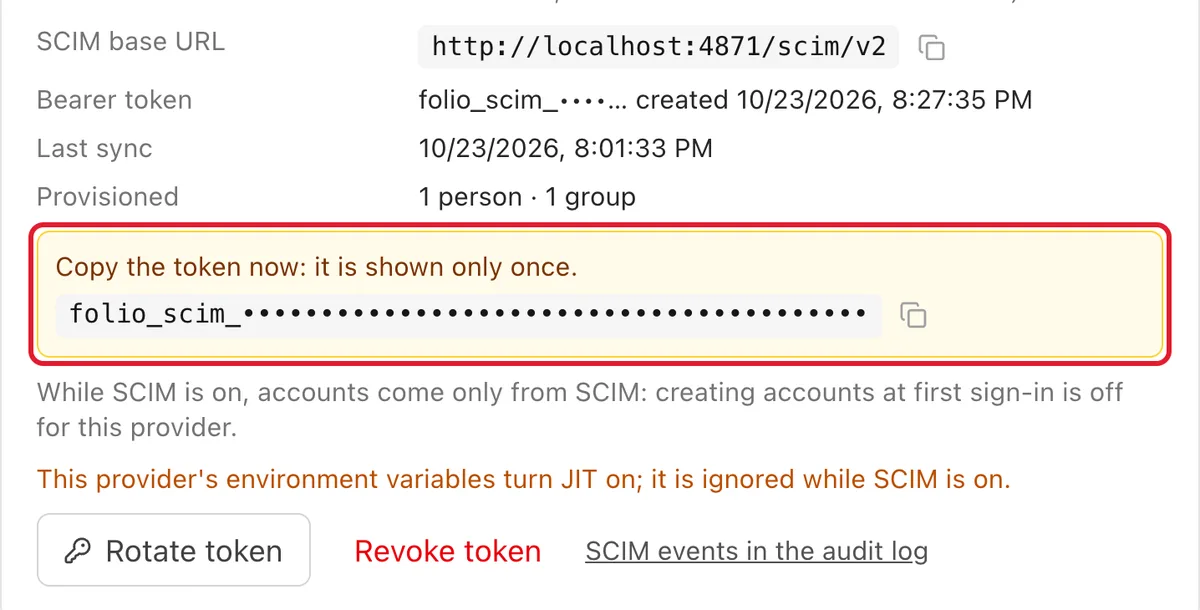
Group sync only runs when somebody signs in. SCIM 2.0 covers the rest: Okta, Entra ID and other providers can create, update and deactivate people and groups in Folio on their own schedule. An administrator generates a token per provider, copies it once and pastes it into the provider. Folio stores only a hash of it and lets you rotate or revoke it. A delete from the provider deactivates the account and archives the group; it never deletes data.
Deactivation reaches further than the password. It ends the person's browser sessions, revokes their personal API tokens and OAuth connections for AI agents, and closes their open editor connections. Someone who was removed in the directory cannot keep working through a token in a script.
Groups on pages, and rights that child pages inherit
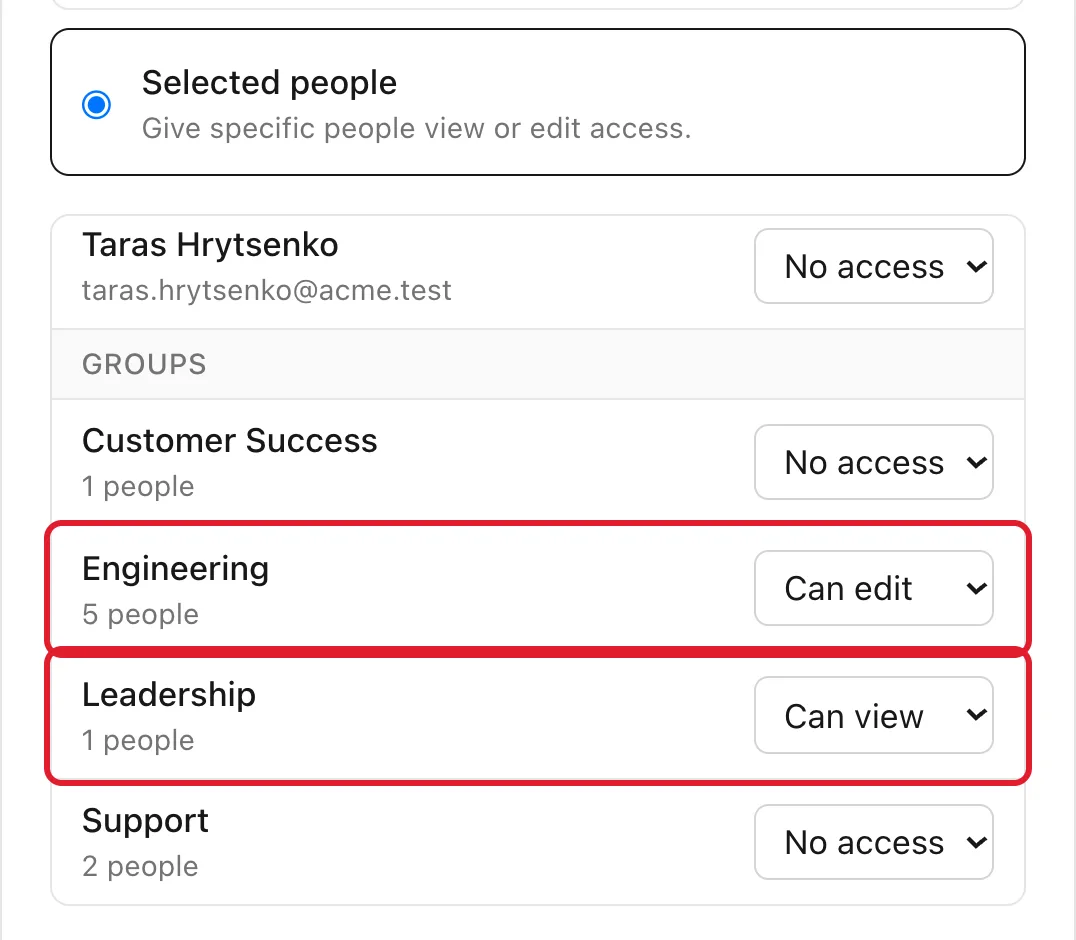
Groups appear wherever people do: the space members dialog, the invitation dialog, the page access dialog and the access matrix. Give Engineering the right to edit a page and Leadership the right to read it, and nobody has to be added one by one.
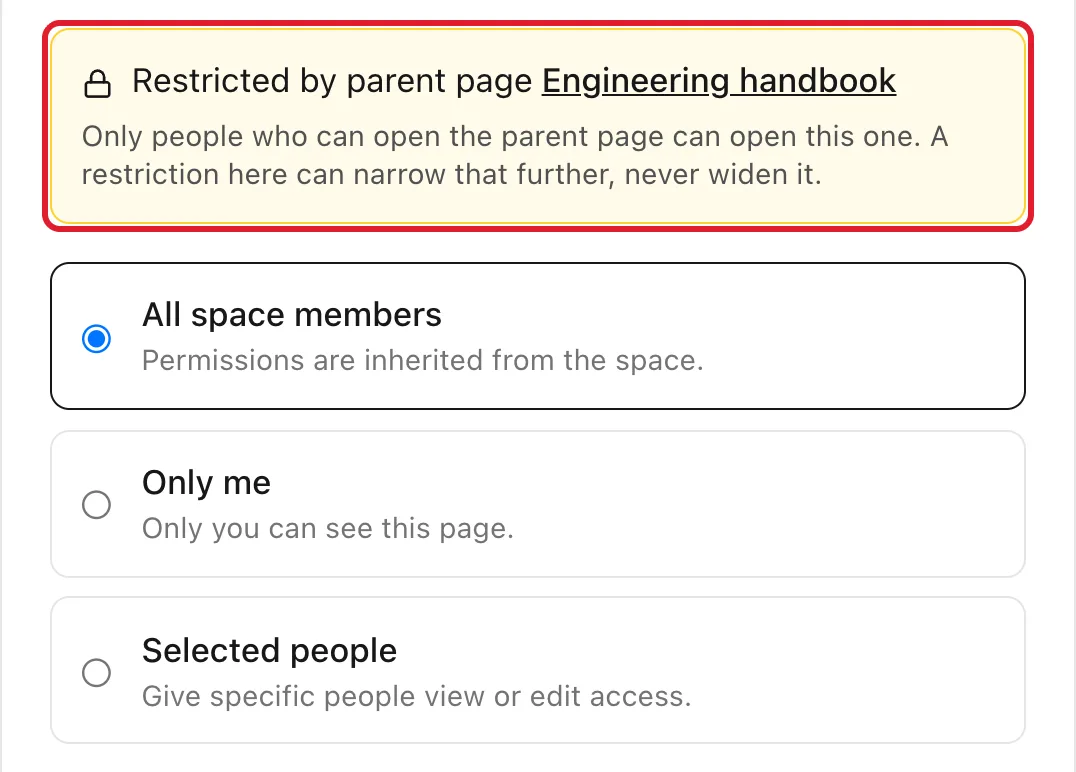
One change needs your attention before you upgrade. A page restriction is now inherited by the pages below it, as view restrictions are in Confluence. A child page can narrow its parent's audience but never widen it. The dialog says so and names the page that restricts it, and the sidebar marks restricted pages with a lock. Children of pages that were already restricted become restricted on upgrade, so the release notes include a read-only report that lists which pages lose which readers. Run it first.
Audit log and sessions
Instance administrators get an audit log with filters by person, action, target and date, readable names for the actions and a CSV export of the current filter. It records SSO sign-ins and refusals, group changes made by hand or by a provider, SCIM events, deactivations and every emergency password login. Everyone can see their own signed-in devices in settings and sign out the others, and an administrator can end one or all sessions of a person.
The security choices, in plain words
- Only signed SAML assertions. A response is accepted when the identity provider signed the assertion itself, it names the right issuer and audience, it is still valid, and it answers a sign-in that this browser started. A signed envelope around an unsigned assertion is refused.
- No replays. An assertion that was used once is refused the second time, and so is a document that carries an XML document type declaration.
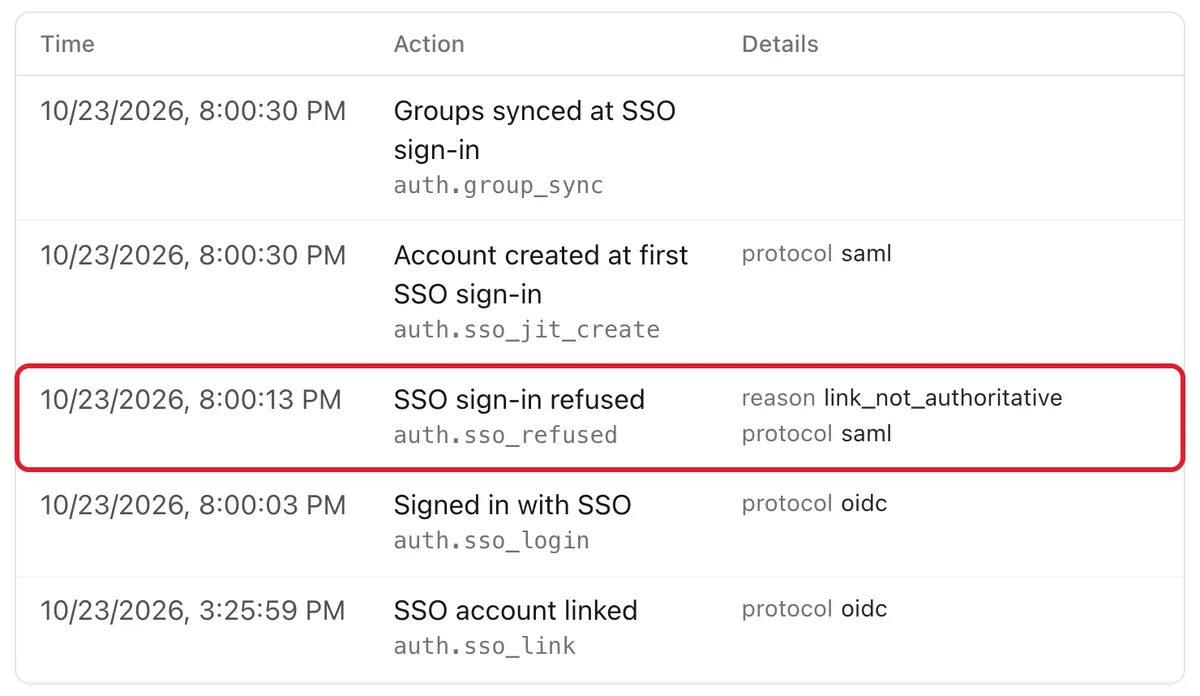
- Accounts are linked only on a trustworthy email. A person who already has a Folio account is linked to the provider only when the email is in your allowed domains and the provider has verified it. SAML has no verified flag, so an administrator has to mark the provider as authoritative for those domains first. Otherwise the sign-in is refused and the audit log says why.
- Sign-in starts at Folio. Sign-in started from the provider's app page is off unless an administrator turns it on.
How this compares
In several well-known products these controls sit behind a paid tier. In Atlassian Cloud, enforced SSO and SCIM provisioning belong to Atlassian Guard, a separate paid subscription (see Folio vs. Confluence). In Notion, SAML is on the Business and Enterprise plans, while SCIM and the audit log are Enterprise features (Folio vs. Notion). In Outline, the self-hosted community edition has no SAML and no audit log, and the licensed edition adds them (Folio vs. Outline). In Folio they are all in the one MIT edition. Each comparison page lists its sources, and says where the other tool is the better choice.
Where it stops
- No nested groups. A group holds people, not other groups, and there are no group mentions.
- No LDAP. Folio speaks OpenID Connect, SAML and SCIM. A directory without one of them needs a provider in front of it.
- SAML is the common subset. Encrypted assertions, signed sign-in requests and single logout are not supported.
- Group sync is not live. A change in the provider reaches Folio at the person's next sign-in. For immediate removal, use SCIM deactivation. Entra ID's too-many-groups case is audited and changes nothing.
- SCIM is the subset providers use. Users and groups with filters and paging, no bulk operations.
- The audit log has limits. Entries are never pruned or signed, only instance administrators can read them, the CSV export stops at 100,000 rows, and ordinary page edits are not in it.
The full list of limits is in LIMITATIONS.
Try it
Groups and single sign-on are available in Folio 0.4.2. The setup guide on GitHub covers OpenID Connect, SAML 2.0, group sync and SCIM, with notes for each provider. To run Folio yourself, start with the install guide; the code is under the MIT license. Before you upgrade an instance that already has restricted pages, run the read-only report from the release notes.
See it in a running Folio
Open the live demo and click through a real Folio instance, or install it and move one space over. Folio is open source and stores everything in Git.
Related
More from the blog
- Publish a Cursor canvas to your team wiki: dashboards that outlive the chat
- Publish a Claude artifact to your team wiki: interactive pages that live in Git
- Make any page a template: custom templates for your Folio space
- Confluence MCP, Notion MCP and a wiki that is its own MCP server
- Export Confluence to Markdown and keep it in Git
- Mermaid diagrams in a team wiki: keep them as code
- See how your team's knowledge connects: graph, Canvas and Bases in Folio 0.4
- Open an Obsidian vault as a team wiki, without changing a file
- Publish a wiki space as a public website, and let visitors ask it questions
- Docs-as-code without the IDE: edit your repository's docs in a browser
- New hires ask the wiki, and the wiki learns what it lacks
- Folio boards: built on Excalidraw, made for teams