Use cases
What teams do with Folio.
One wiki and one set of rights, for people and for AI agents. Pick the case closest to yours; each one says what you get, how it goes and where it stops.
Replace Confluence or Notion
We replaced Confluence with Folio ourselves. Point it at a Confluence page or a whole tree and the pages come over as Markdown, with images, code, checklists and panels turned into callouts. Pages come from Confluence Cloud and from on-premises installations. They then live as plain files in a Git repository you own. Coming from Notion, you get the same shared editing, roles and AI in a wiki you host, with pages as Markdown files. There is no one-click Notion importer: you bring exported Markdown files in, or paste.
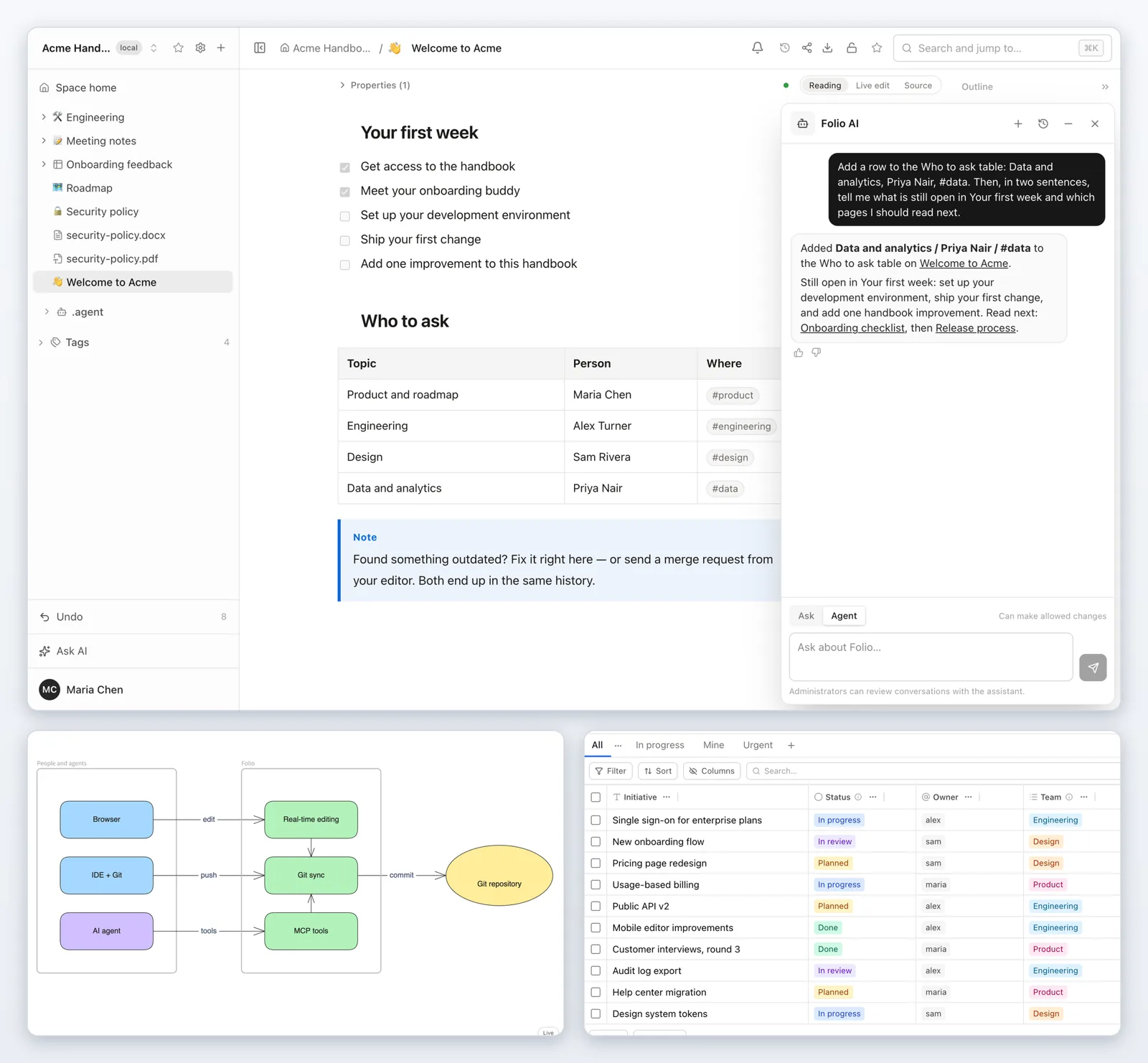
How it goes from Confluence
- 1Point Folio at a Confluence page or a whole tree.
- 2The pages arrive as Markdown, with images, code and checklists; panels become callouts.
- 3Whiteboards from Confluence Cloud become Excalidraw boards.
From Notion: export pages as Markdown (databases as CSV), then bring the files in or paste them. Rebuild databases and relations by hand.
Honest limit. Confluence import does not support every macro. Run a test import before moving a whole space. Folio does not replace Jira links or Marketplace apps. For Notion there is no importer, and Folio tables are Markdown-backed, not Notion's relational databases.
A team vault for Obsidian
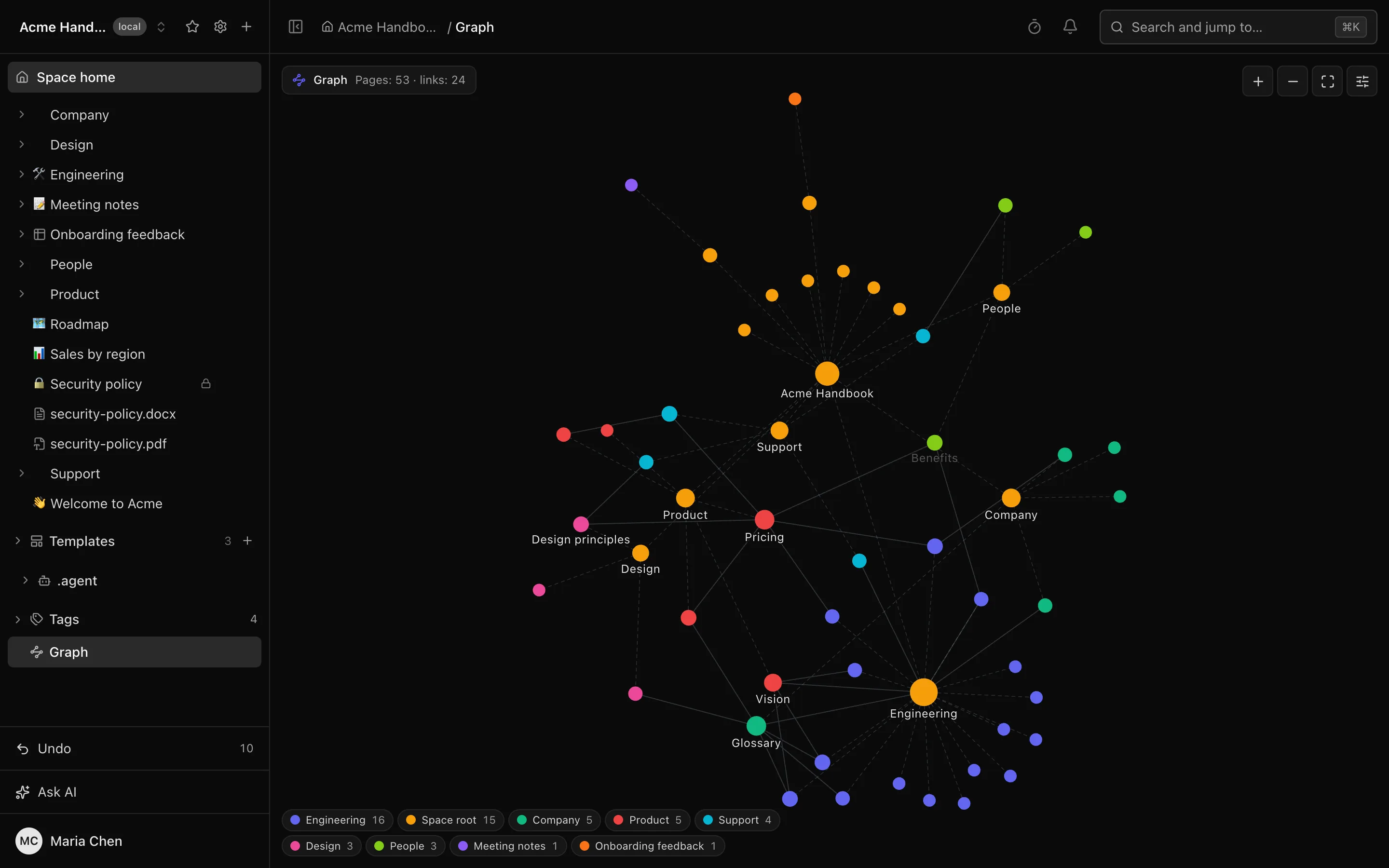
Open a vault as it is: wikilinks, embeds and callouts are drawn, canvases and bases open as pages. Several people edit it together in the browser, and your files are never rewritten. Obsidian stays on your own machine for anyone who wants it.
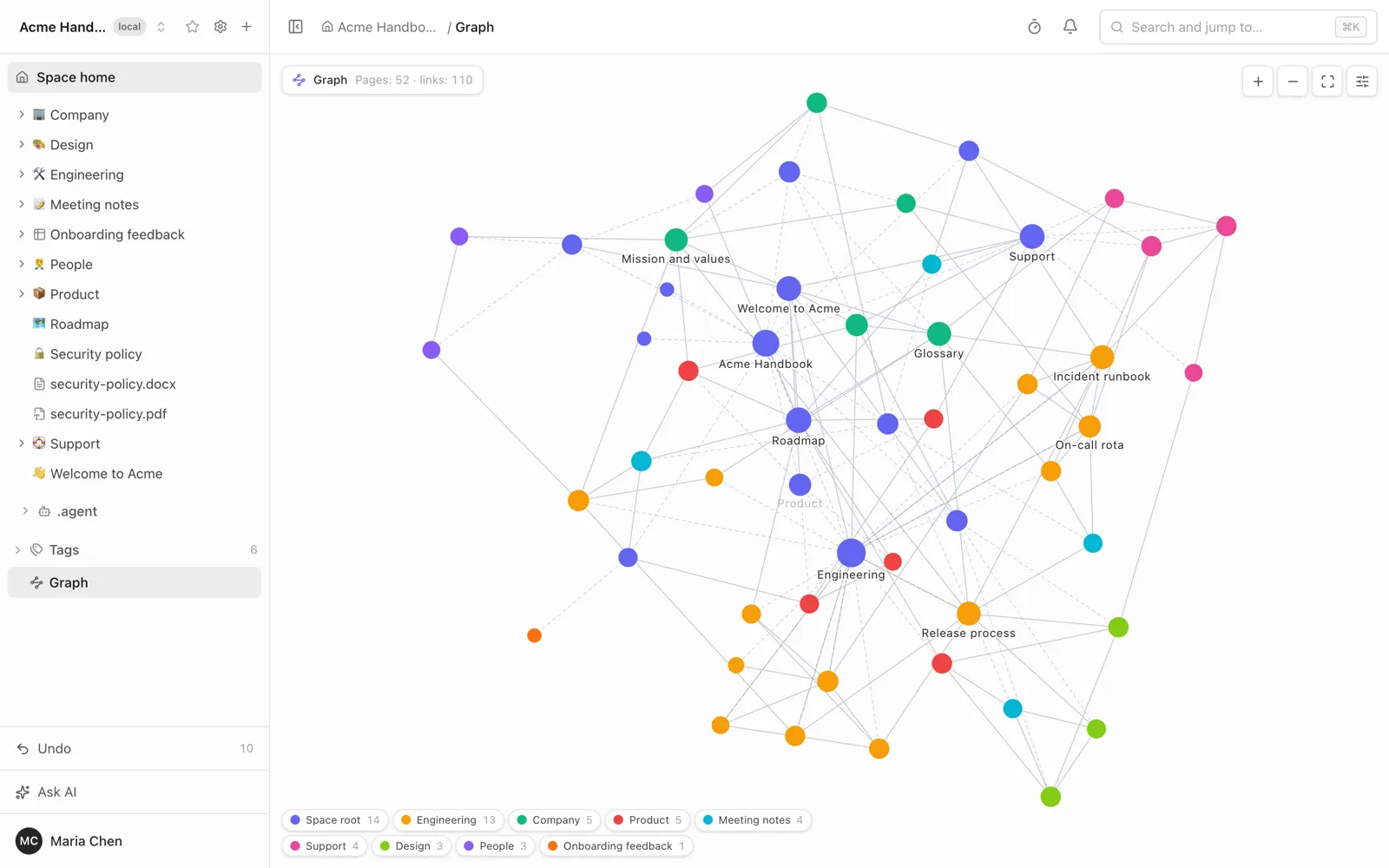
How it goes
- 1Put the vault in Git.
- 2Connect it to Folio without changing a file.
- 3Invite people with roles and edit together in the browser.
Team handbook
Onboarding, policies and how you work, written together. New people ask Folio AI and get answers from your own pages, with sources. A short weekly check can be a form, and the manager reads the answers in a table.
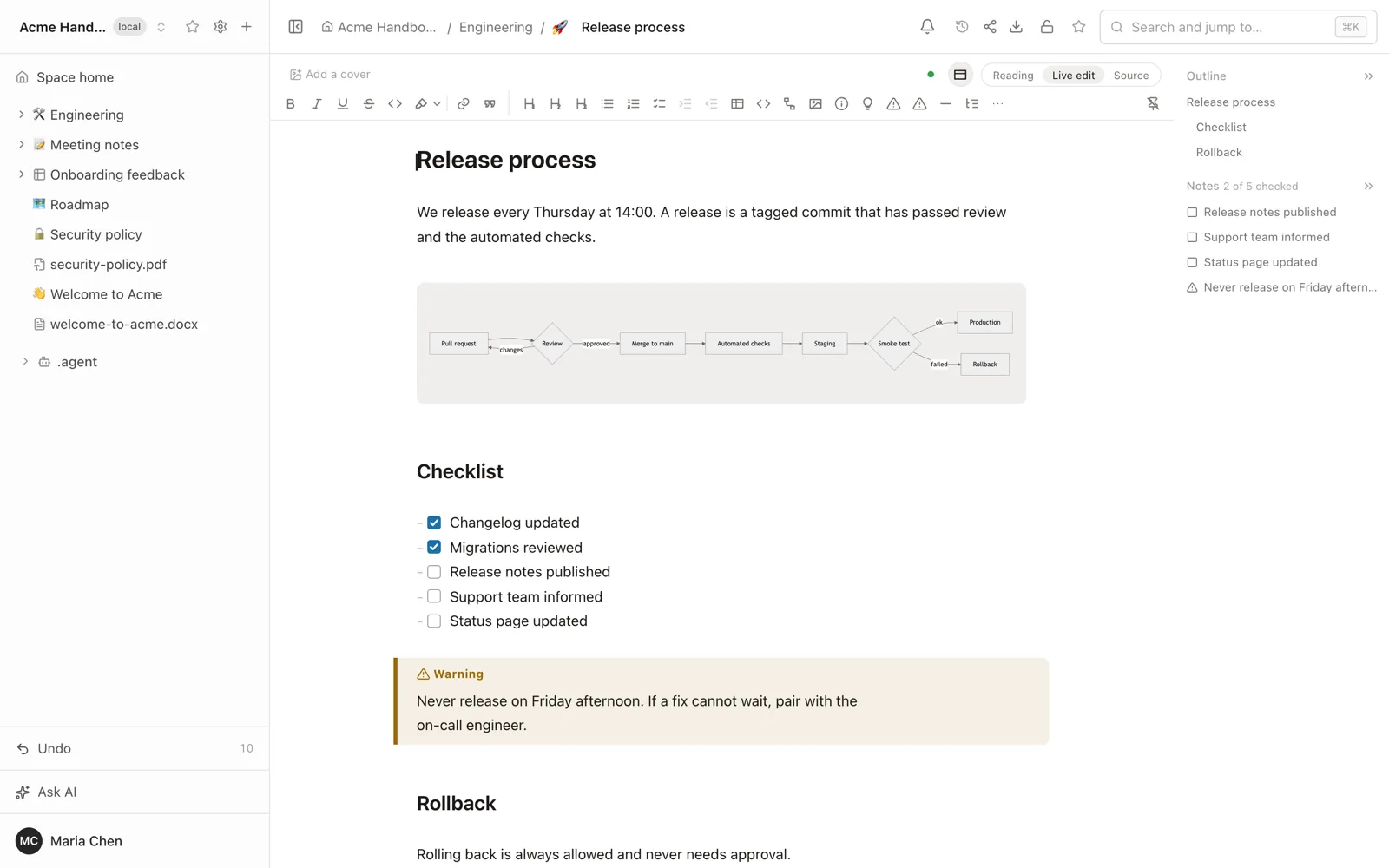
How it goes
- 1Write the handbook together, in the same page and at the same time.
- 2New people ask Folio AI and get answers from the team's own pages, with sources.
- 3Run a weekly check as a form; every answer becomes a table row.
Roadmap and planning
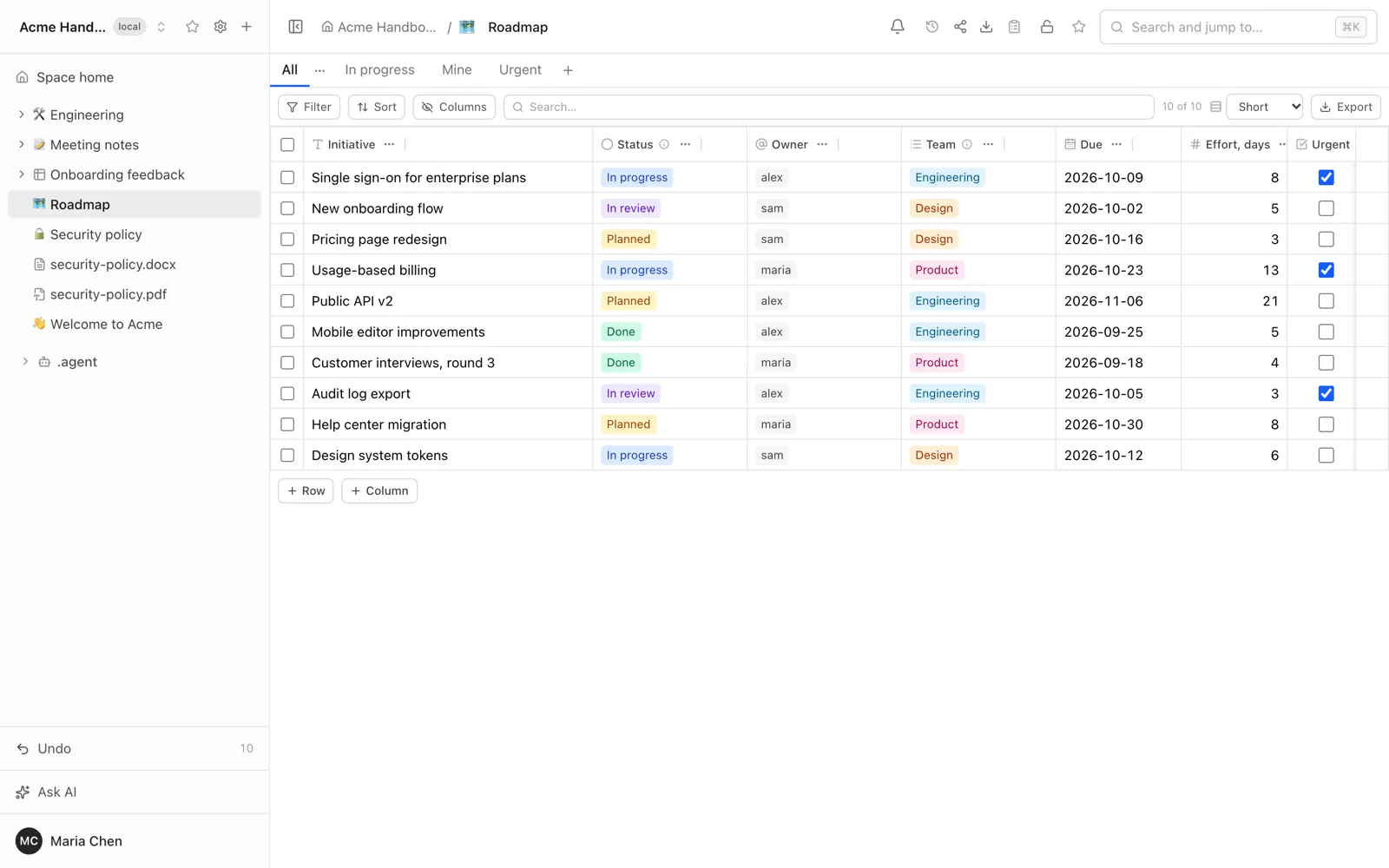
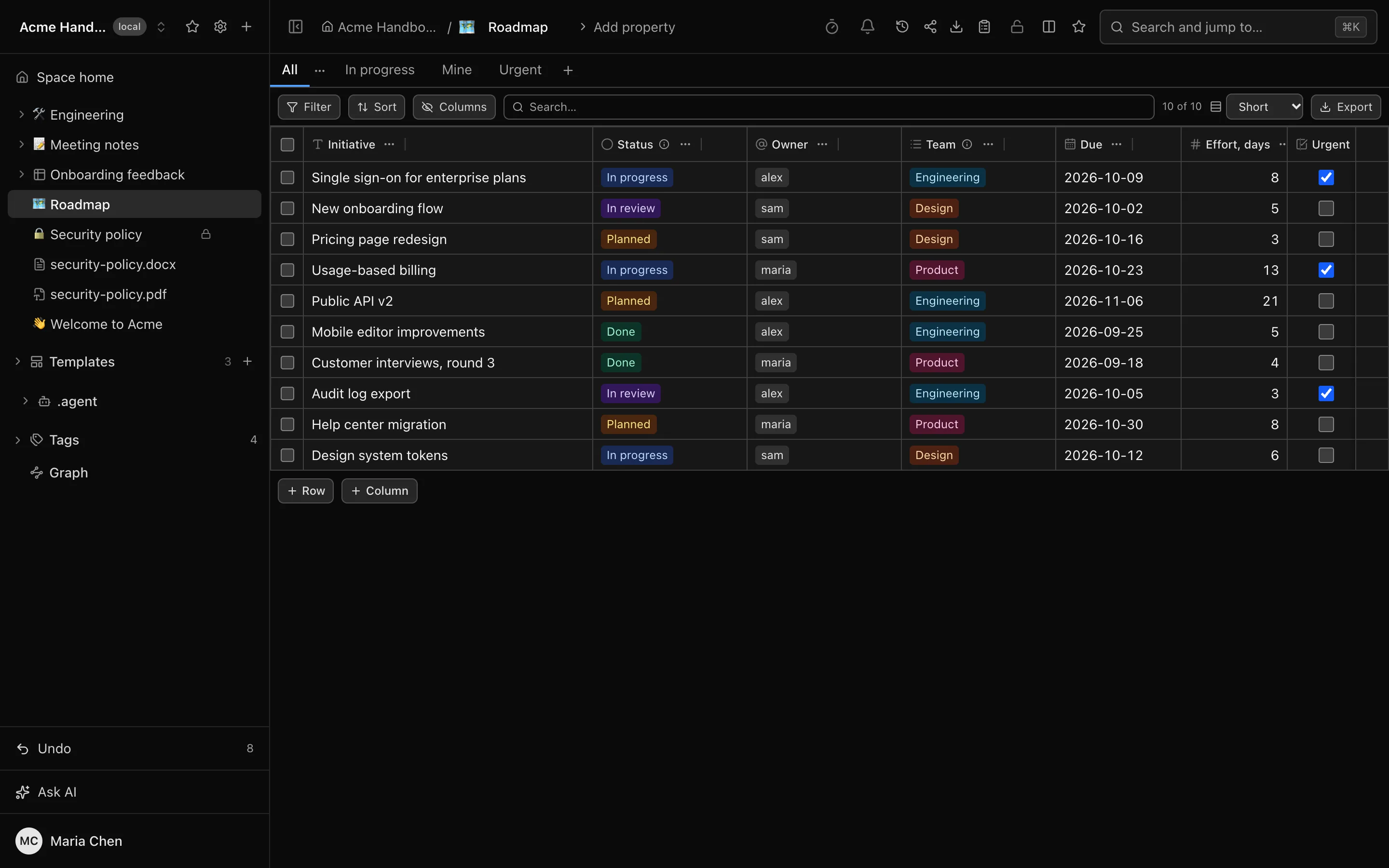
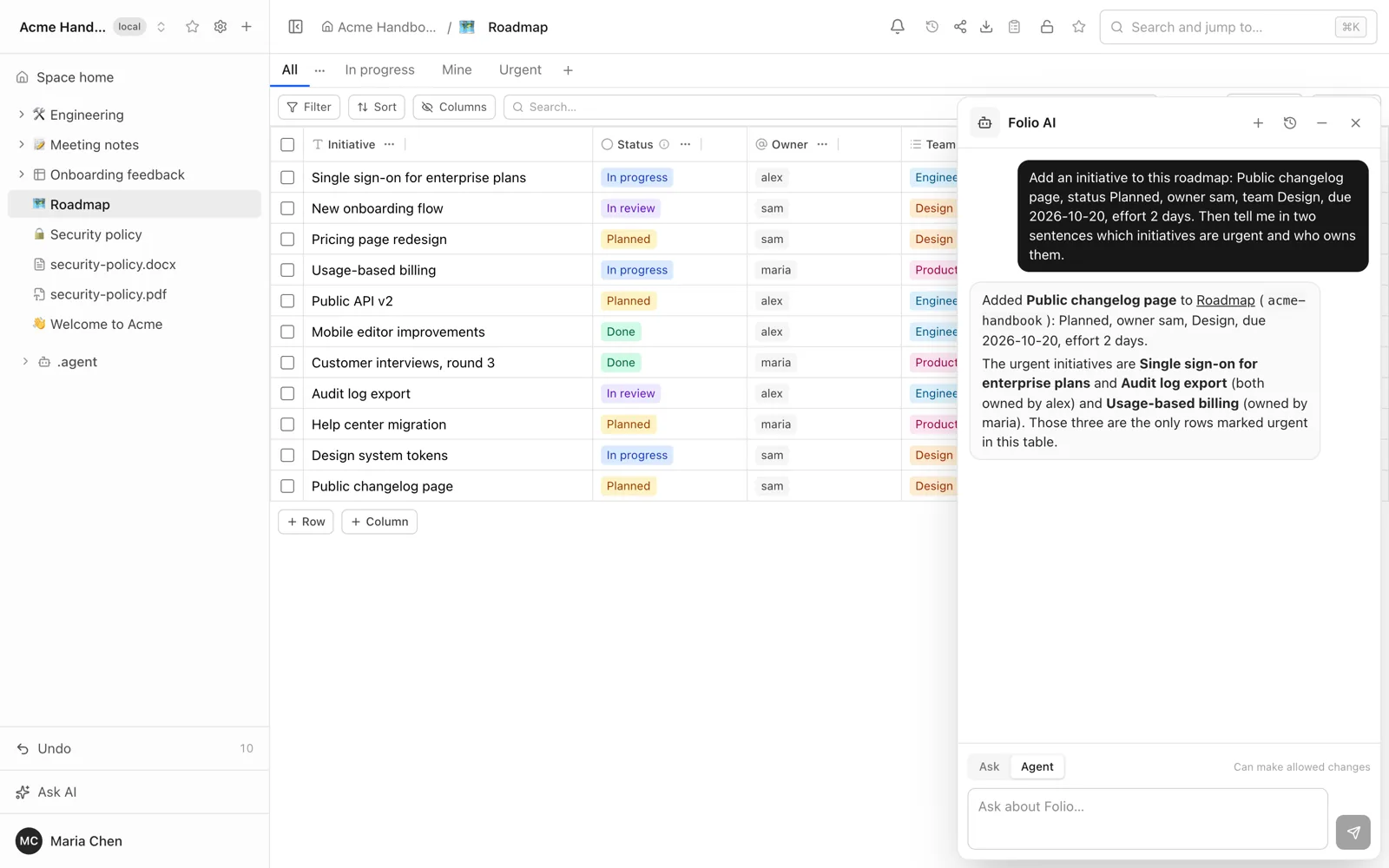
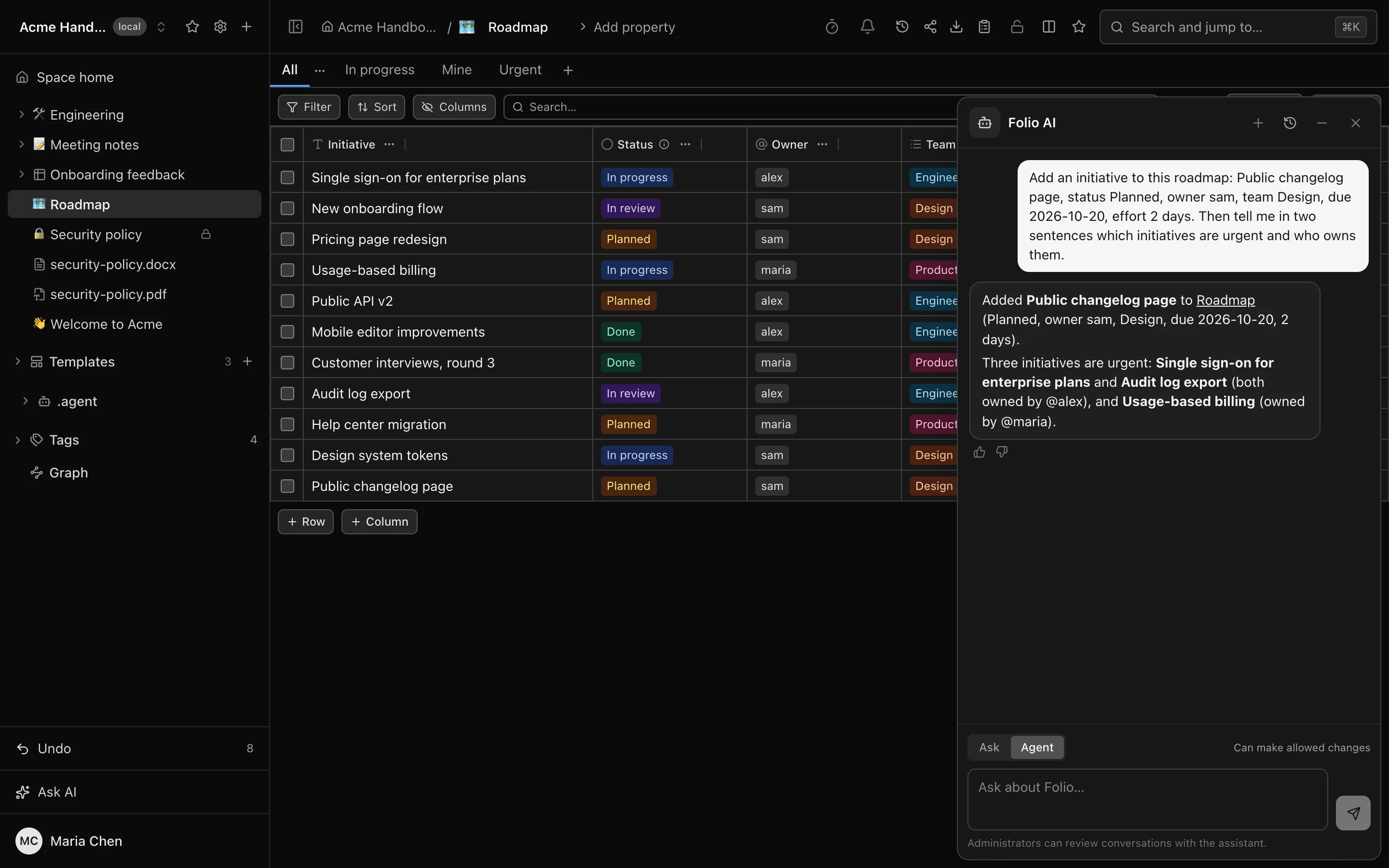
A roadmap as a data table with statuses, owners and saved views, next to the specs and architecture boards it points to. It is one tree: the table, the spec and the board sit side by side, edited by several people at once.
How it goes
- 1Make a data table with typed columns: status, user, date and more.
- 2Save views as tabs, each with its own filters and sorting.
- 3Link the table from any page; an agent can add a row to it.
Honest limit. A table holds up to 20,000 rows, and tables need a connection when you work offline.
Docs as code, edited in a browser
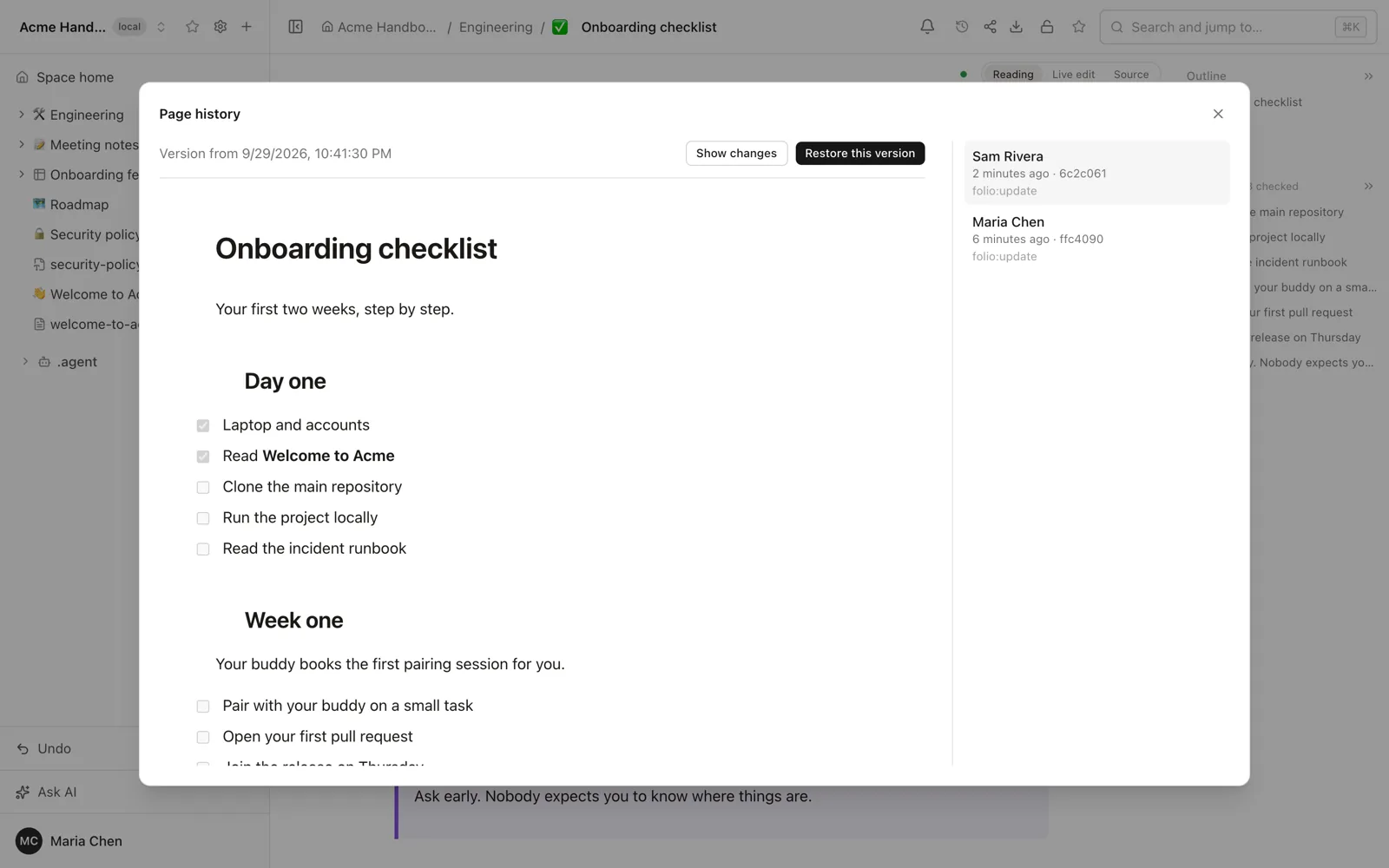
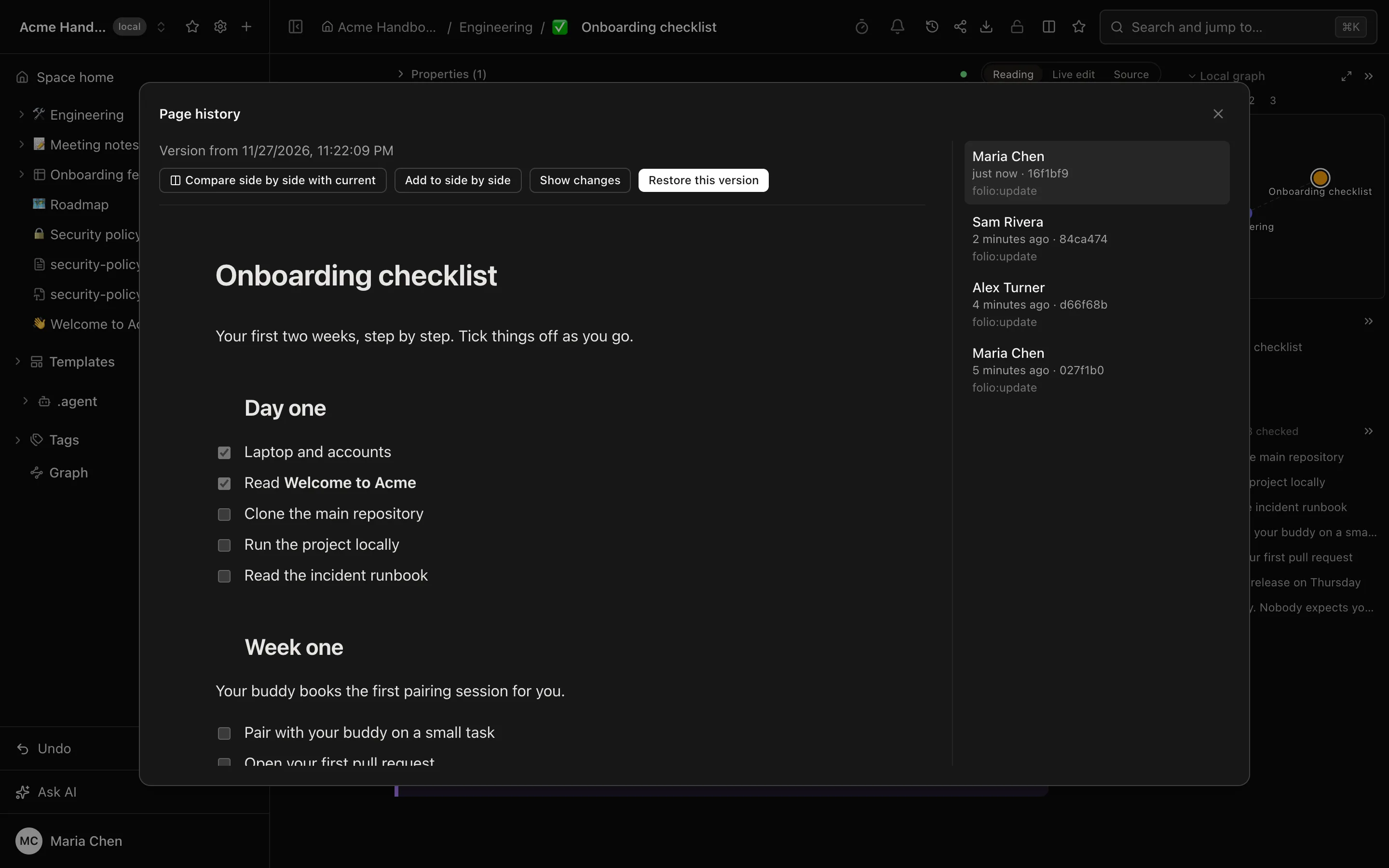
The docs/ folder of your product repository becomes a space. A technical writer edits the pages in the browser, and the developer sees an ordinary commit with the writer's name as the author. An agent connected over MCP with the developer's token updates the same pages, with that developer's rights and no more.
How it goes
- 1Create the space from your repository; the docs/ folder becomes its pages.
- 2Writers edit in the browser; Folio commits with the writer as author.
- 3Review, branch and revert with the Git tools you already use.
Honest limit. The commit is made after about 90 seconds of quiet, and only [text](path) links and images are rewritten when a page moves. Your files stay as they are, and front matter from Docusaurus, MkDocs, Hugo or Jekyll is kept.
A public docs site
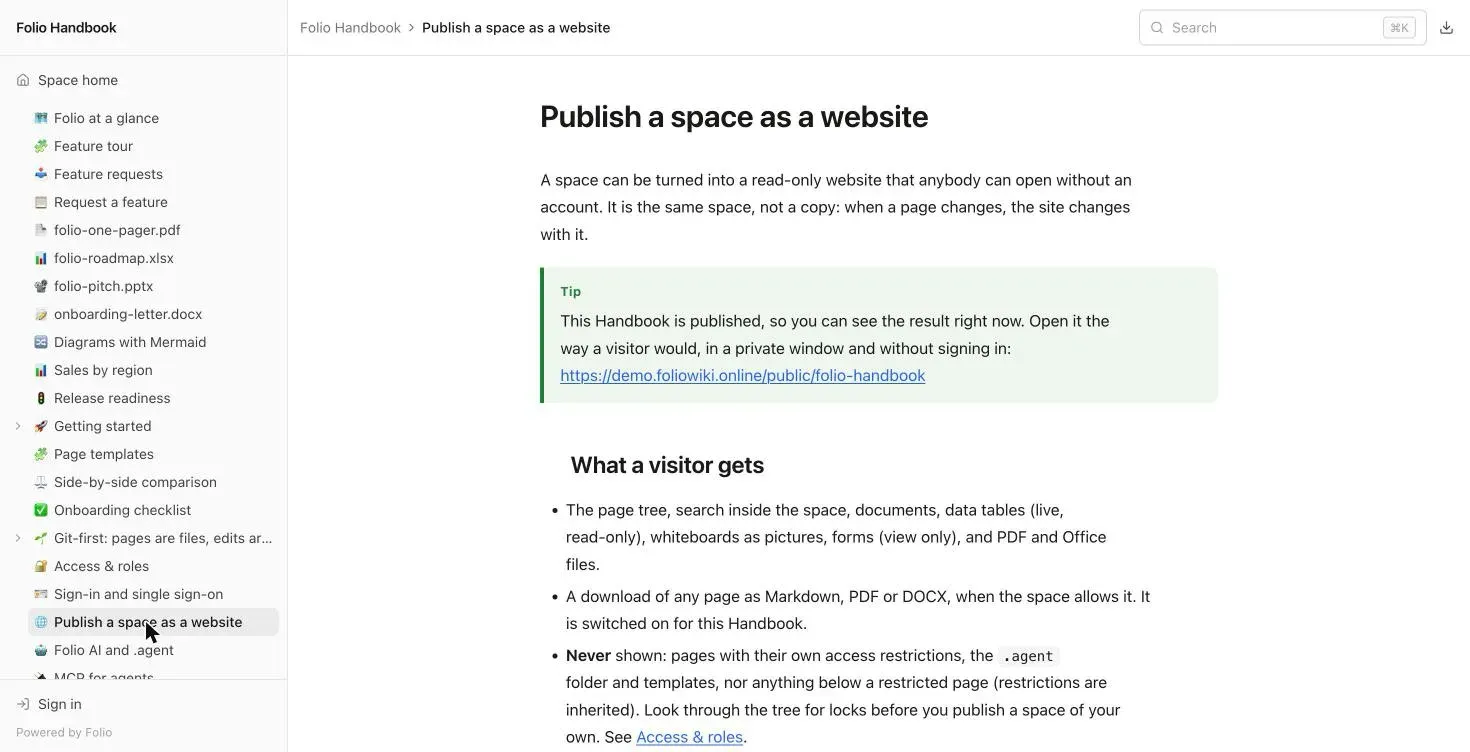
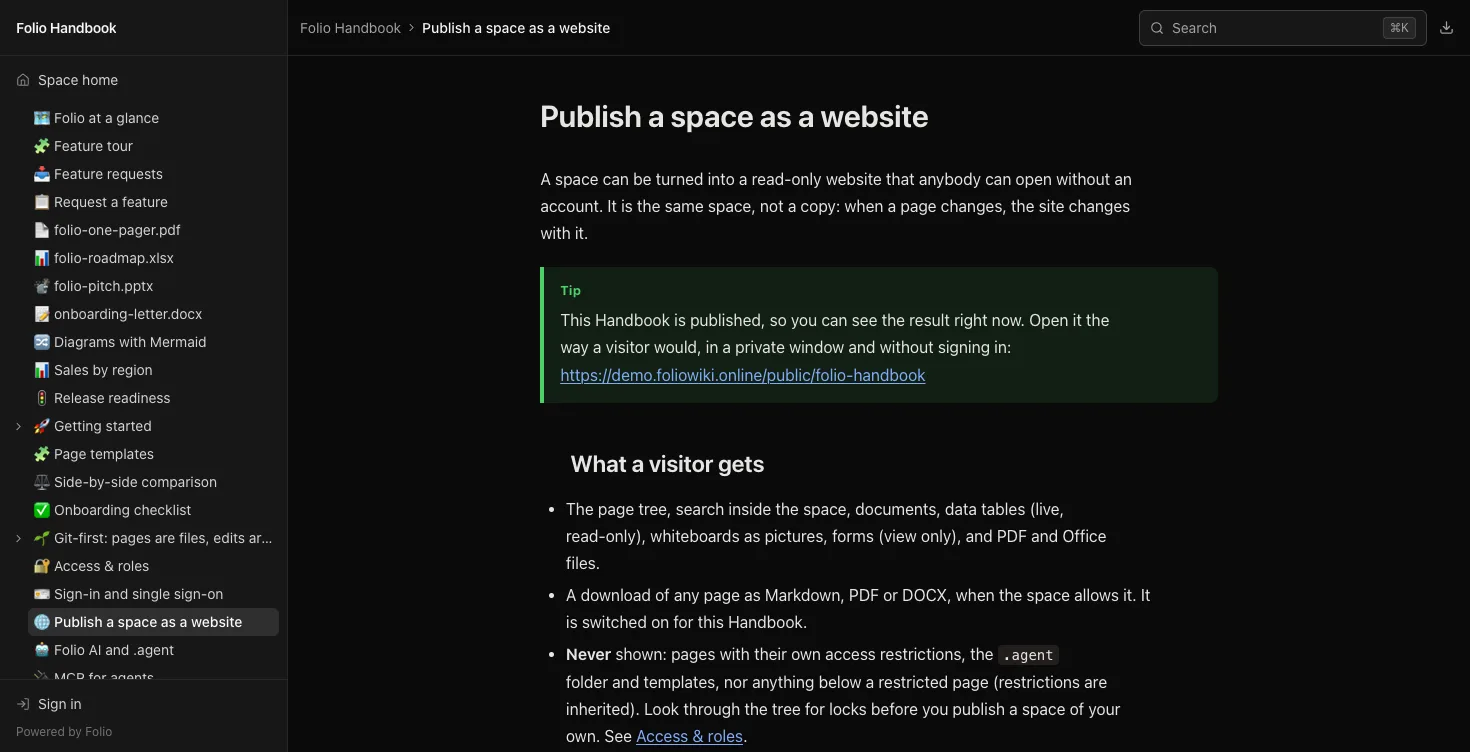
Set who can read a space to public and Folio serves it as a read-only website: the page tree, search inside the space, documents, live data tables, whiteboards as pictures, PDF and Office files. The site is the space itself, so there is no second copy to keep in step.
How it goes
- 1Set who can read the space to public.
- 2Choose the address: a path on your Folio, a subdomain, or your own domain such as docs.example.com.
- 3Visitors read and search; they can download a page, or ask Folio AI, if you allow it.
Honest limit. The subdomain and the domain need DNS, a certificate and proxy rules on your side. A page with a restriction is never published, and its child pages inherit it, so they stay closed too. A public site is read-only and anonymous.
Reports from your AI agents
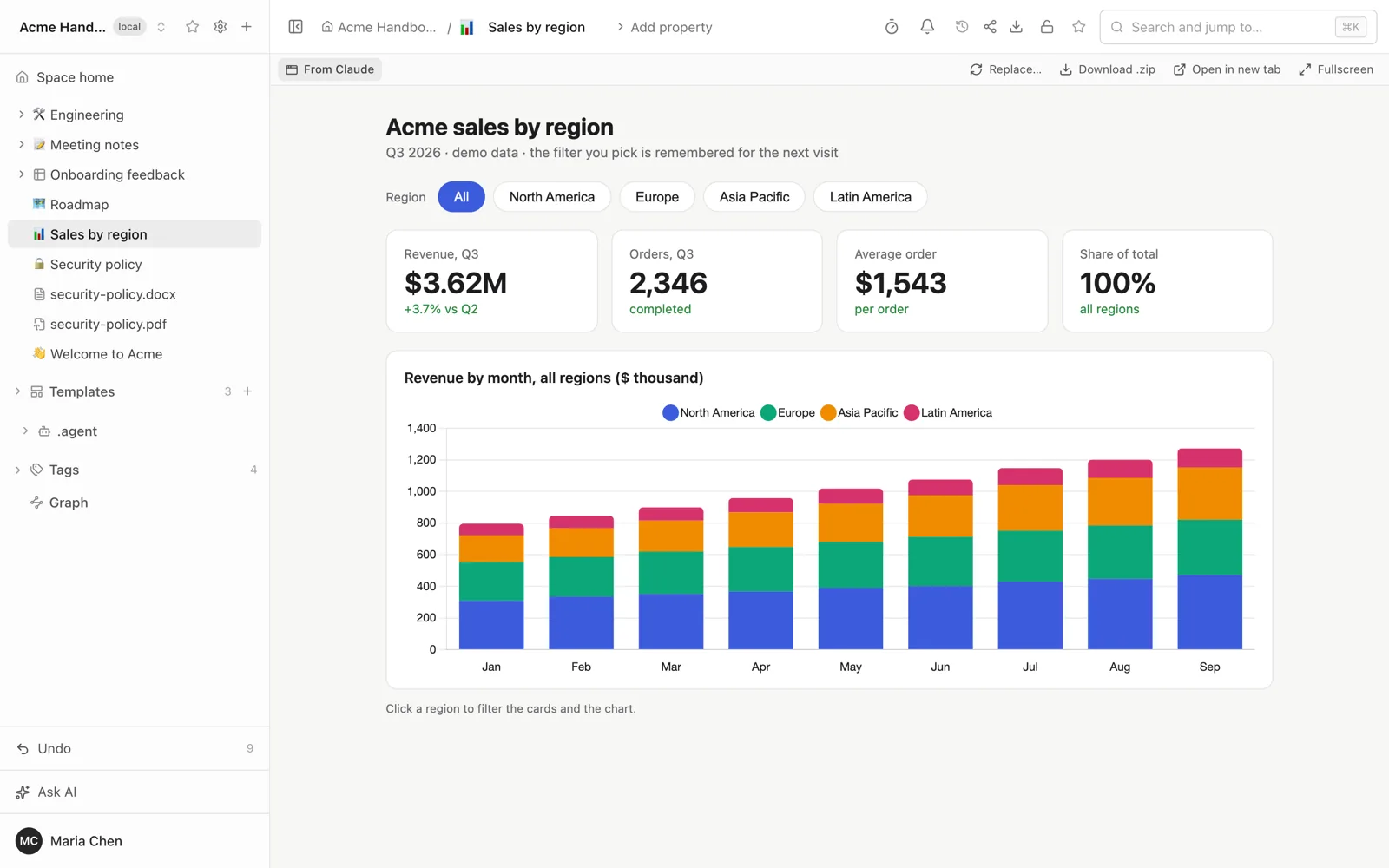
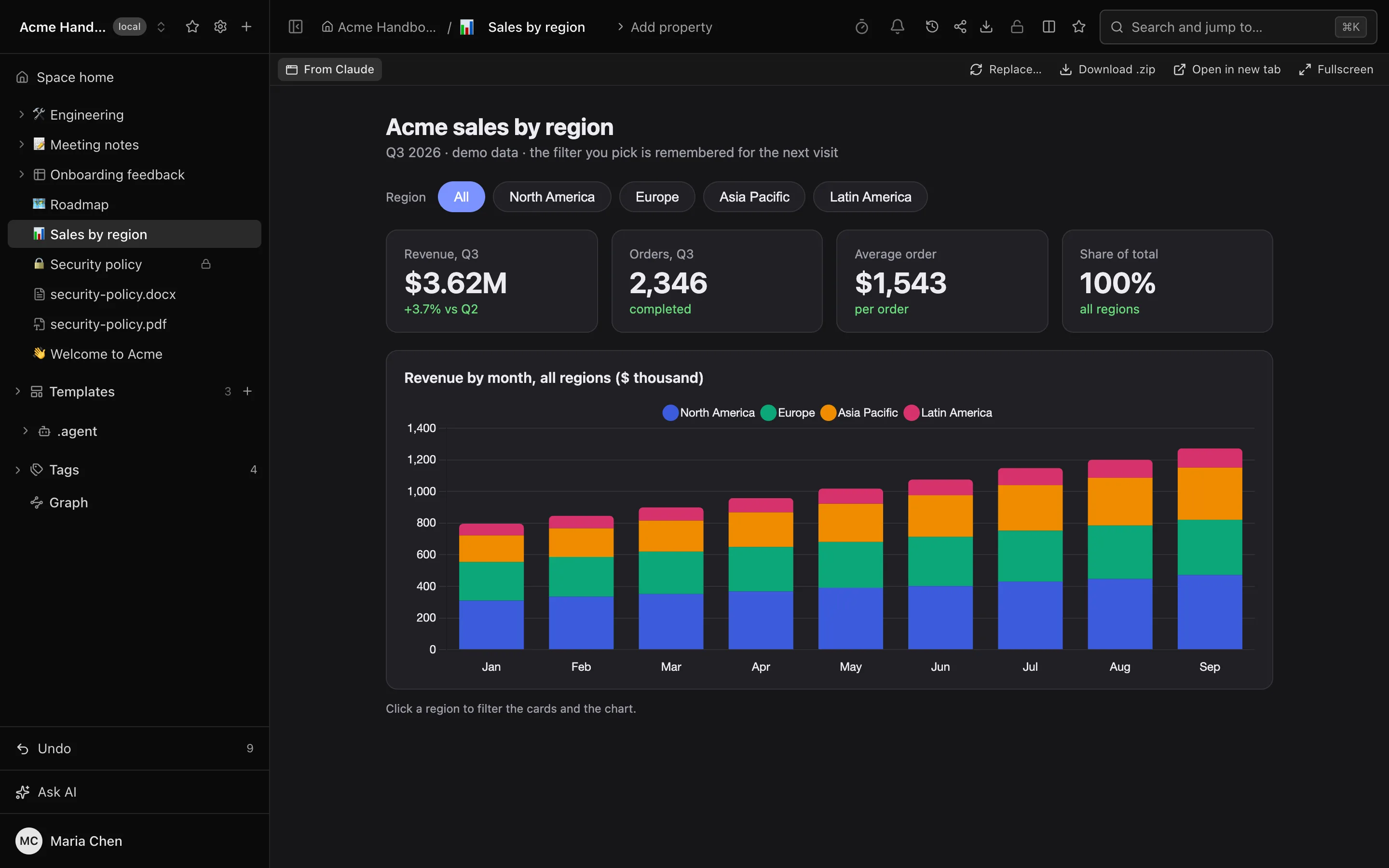
The dashboard, calculator or checklist that Claude or Cursor built no longer stays in one chat. It becomes an interactive page everyone can open, with working filters, under the same access rights as the rest of the wiki.
How it goes
- 1Tell the agent: publish this dashboard to Folio, in Reports.
- 2It becomes a page in the tree, in search and in Git.
- 3Readers use the filters, tabs and charts; their choices survive a reload.
Honest limit. Folio shows the finished page and does not build React itself, so the agent sends HTML that already runs. Calls to Claude or your own APIs do not work inside an artifact.
A knowledge base for agents
Agents find, read and write real pages, inside the rights of the person who asked and never beyond them. Folio AI is built in, every space can have its own agent written as ordinary pages, and outside agents such as Claude, ChatGPT or Cursor connect over MCP.
How it goes
- 1Write the agent's role, tone and rules as pages in the space's .agent folder.
- 2Ask Folio AI to answer from your pages with sources, or let it draft a page or update a table.
- 3Connect outside agents with OAuth or a personal token; a read token cannot write.
Honest limit. One agent per space. Folio AI needs a Cursor key or a Claude API key, and through MCP you cannot manage access rights or rename and delete spaces.
Start from where you are.
Pick the way in that matches your situation. Every page below is a plain-text page you can read without an account.
You are leaving a wiki
- Confluence alternativesEight self-hosted Confluence alternatives with licenses, prices and drawbacks.
- Notion alternativesSeven self-hosted or local Notion alternatives with licenses, prices and drawbacks.
- Confluence to Markdown converterTurns one pasted page or one HTML export file into Markdown.
- Self-hosted wikisEight self-hosted wikis compared on requirements, storage, licenses and sign-in.
You want to see it work
- Markdown templatesMeeting notes, SOPs, PRDs, runbooks and more as plain Markdown.
- Meeting notes templateDecisions and action items first, one owner and a date per action.
- Mermaid editorDraw a diagram on a canvas or from code and export SVG or PNG.
- ComparisonsFolio next to Confluence, Notion, Outline, Obsidian, Nimbus, MediaWiki and Miro.
You are connecting an AI client
- All integrationsClaude, ChatGPT, Cursor, Claude Code, VS Code, Codex, n8n and Open WebUI over MCP.
- ChatGPT with FolioConnect ChatGPT to a Folio wiki over MCP.
- Install on your own serverVPS, Coolify, Railway, Render, DigitalOcean and other targets.
- GuidesLonger step-by-step setups, starting with Obsidian.
Try it on your own team's pages.
Open the shared demo in a minute, or run your own with Docker. Free under MIT, every feature included.